SEO can feel like an uphill climb, especially when budgets are tight. At Pearl Lemon, we know the challenge firsthand. You need tools that actually move the needle without draining your wallet. After testing dozens of platforms, we’ve pulled together the top 20 free SEO tools that deliver measurable results. Whether you’re running an eCommerce store, managing client campaigns, or handling in-house SEO, these picks cover keyword research, backlink tracking, technical audits, and on-page optimization.
According to Ahrefs, over 90% of web pages get zero organic traffic from Google. That’s a brutal reminder of how competitive rankings have become. Meanwhile, HubSpot found that updating old content can increase organic traffic by 106%. The right tools can uncover exactly where to focus your efforts.
This article is for
- Freelancers needing quick, actionable insights
- Agencies managing multiple client sites
- Business owners wanting a clear SEO direction without a big spend
We’ve also included a quick comparison table so you can scan features, pricing, and ratings at a glance before digging into full reviews.
What is a Free SEO Tool?
A free SEO tool is software or an online platform that helps improve search engine performance without requiring payment. These tools can handle keyword research, technical site checks, backlink monitoring, SERP tracking, and content analysis. While free versions often have feature limits, many still offer enough functionality to deliver significant value for small teams and solo marketers.
Top 20 Free SEO Tools in 2026
For this category, we’ve chosen these columns because they matter most when selecting a free SEO tool
- Best For – Tells you the primary use case so you can match the tool to your need.
- Starting Price – Shows whether there’s a paid upgrade option and its entry point.
- Free Trial? – Indicates if there’s a no-cost testing period for premium features.
- Key Feature – Highlights the most unique or powerful capability.
- Rating – Uses aggregated ratings from G2/Capterra for credibility.
| Tool Name | Best For | Starting Price | Free Trial? | Key Feature | Rating |
| Google Search Console | Site performance tracking | Free | N/A | Index & search analytics | 4.8 |
| Google Keyword Planner | PPC & SEO keyword research | Free | N/A | Search volume & CPC data | 4.6 |
| Ubersuggest | Keyword & content ideas | $12/mo | Yes | Competitor keyword analysis | 4.5 |
| AnswerThePublic | Question-based keyword ideas | $9/mo | Yes | Visual keyword cloud | 4.4 |
| Screaming Frog SEO Spider | Technical site audits | £149/year | Yes | Crawl up to 500 URLs free | 4.7 |
| Ahrefs Webmaster Tools | Backlink & site health checks | Free | N/A | Link profile analysis | 4.8 |
| Semrush Free Plan | All-in-one SEO starter | $129.95/mo | Yes | Keyword & backlink data | 4.6 |
| MozBar | On-page SEO insights | $99/mo | Yes | SERP overlay with metrics | 4.5 |
| Yoast SEO (Free) | WordPress on-page optimization | Free | N/A | Real-time SEO content checks | 4.7 |
| Rank Math (Free) | WordPress SEO plugin | Free | N/A | Schema & keyword tracking | 4.8 |
| Keywords Everywhere | Browser keyword research | $15/yr | No | On-page keyword metrics | 4.6 |
| SEOquake | Browser-based SEO audits | Free | N/A | Instant page diagnostics | 4.5 |
| GTmetrix | Page speed & performance checks | Free | N/A | Detailed waterfall reports | 4.7 |
| PageSpeed Insights | Google site speed analysis | Free | N/A | Core Web Vitals report | 4.8 |
| Seobility | On-page & technical SEO | €50/mo | Yes | Keyword monitoring | 4.6 |
| Serpstat Free Plan | Keyword & competitor research | $59/mo | Yes | Batch keyword analysis | 4.5 |
| Woorank Free Plan | SEO health & marketing checks | $79.99/mo | Yes | Customizable SEO reports | 4.4 |
| Majestic Free Plan | Backlink analysis | $49.99/mo | Yes | Trust Flow & Citation Flow | 4.5 |
| Bing Webmaster Tools | Microsoft search performance | Free | N/A | Index coverage & site reports | 4.6 |
| Small SEO Tools | Variety of SEO utilities | Free | N/A | Plagiarism & keyword checker | 4.3 |
Best Free SEO Tools That Actually Work
1. Google Search Console – Your Site’s Performance Command Center
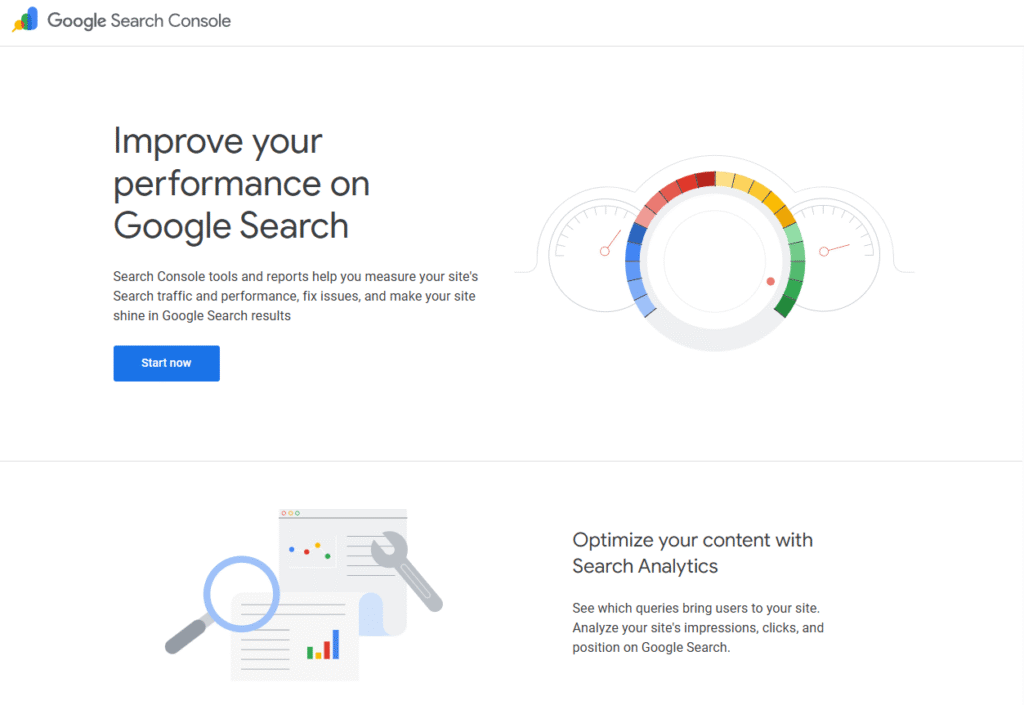
Google Search Console is the go-to free SEO tool for monitoring how your website appears in Google search results. It’s widely used by marketers, SEO agencies, and business owners who want actionable data on site performance, search visibility, and indexing. While it’s not flashy, it’s arguably the most critical tool in your arsenal because it pulls data directly from Google’s own systems.
Key Features
1. Performance Report
This feature shows clicks, impressions, average CTR, and average position for your keywords. You can filter by country, device, or search type to refine insights and identify winning content or weak spots.
2. Index Coverage Report
See exactly which pages Google has indexed and where errors are occurring. This report lets you fix indexing problems before they impact rankings, ensuring your most important pages appear in search results.
3. URL Inspection Tool
Test how Google views any specific URL. It reveals whether the page is indexed, the last crawl date, and any detected issues, giving you clarity before launching new content or site changes.
4. Mobile Usability Report
Quickly identify mobile rendering issues. With mobile-first indexing, ensuring your site is mobile-friendly isn’t optional—it’s essential for both rankings and user experience.
5. Core Web Vitals
Evaluate your site’s loading speed, interactivity, and layout stability, directly tied to Google’s ranking factors. Improving these scores can improve both SEO and user satisfaction.
Pros & Cons
| Pros | Cons |
| 100% free from Google | Only covers Google search data |
| Accurate, first-party search data | Lacks competitor keyword insights |
| Essential for indexing management | No keyword volume data |
| Integrates with Google Analytics | Learning curve for beginners |
Pricing
Free.
Best For Businesses and SEOs Who Want Direct Google Data
Who it’s ideal for
- SEO Agencies – Track multiple client sites from one dashboard
- Content Teams – See which pages bring the most traffic and where to focus updates
- Ecommerce Stores – Spot indexing issues that could hide product pages
- Small Businesses – Understand top-performing search queries without paying for a premium tool
If you own or manage a website, Google Search Console is non-negotiable. It’s your direct line to understanding how Google views your site and where improvements are needed.
Pro Tip
Use the Performance Report to find high-impression, low-CTR keywords. Then improve title tags and meta descriptions to grab more clicks from the same rankings.
Best Alternate Tool
Bing Webmaster Tools – Similar to Google Search Console but for Bing search data, useful for reaching audiences beyond Google.
2. Google Keyword Planner – Keyword Research from the Source
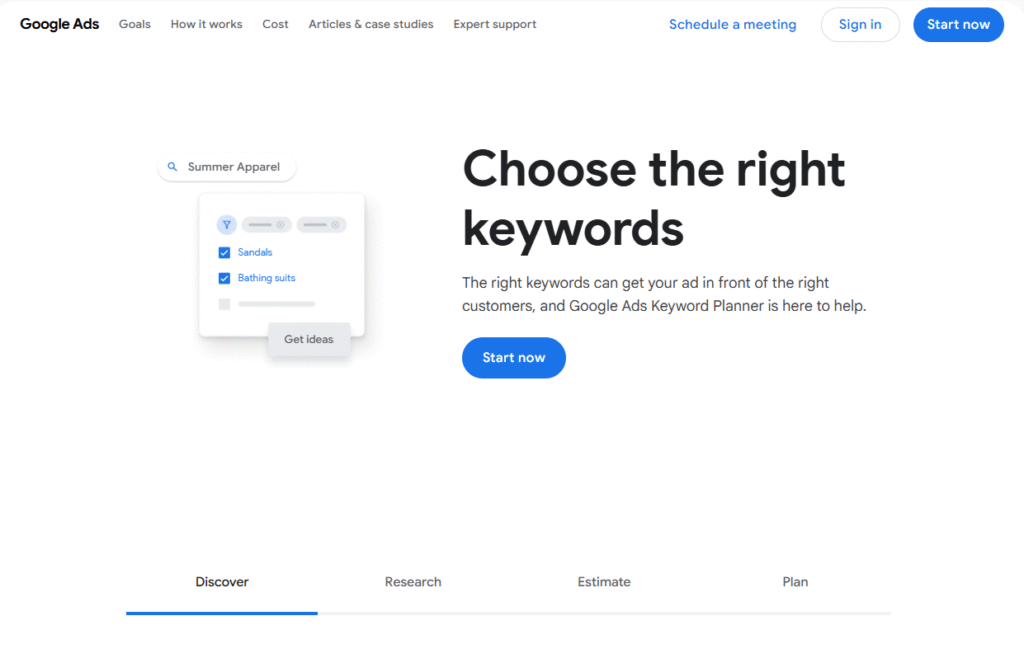
Google Keyword Planner is a free keyword research tool built into Google Ads. While it’s designed for advertisers, SEO professionals use it extensively for finding keyword ideas, checking search volume, and gauging competition levels. The data comes straight from Google’s search network, making it highly relevant for anyone targeting organic rankings.
Key Features
1. Keyword Ideas Tool
Enter a seed keyword or URL and get hundreds of keyword suggestions. This is perfect for uncovering related search terms you may not have thought of, expanding both PPC and SEO campaigns.
2. Search Volume & Forecasts
See monthly search volume ranges, competition levels, and bid estimates. Even if you’re not running ads, this helps you prioritize keywords based on potential traffic and competitiveness.
3. Location Targeting
Narrow your research to specific countries, cities, or regions. Local businesses can find search terms their nearby audience is actually using, instead of wasting effort on irrelevant phrases.
4. Competitor Keyword Insights
Paste in a competitor’s landing page to see the keywords Google thinks it’s relevant for. This gives you a quick peek at their content strategy.
5. Historical Trends
Spot seasonal search spikes or declining interest in a keyword over time. This is useful for planning content calendars around trends.
Pros & Cons
| Pros | Cons |
| 100% free with a Google Ads account | Shows ranges, not exact volumes, unless running ads |
| First-party keyword data from Google | Competition metric is PPC-based |
| Strong location targeting options | Interface built for advertisers, not SEOs |
| Useful for both PPC and SEO planning | Can miss long-tail keyword opportunities |
Pricing
Free with a Google Ads account (no ad spend required).
Best For Keyword Planning Across SEO & PPC
Who it’s ideal for
- Local SEO Specialists – Find search terms used by audiences in specific cities
- Content Marketers – Build content clusters around high-volume keywords
- PPC + SEO Teams – Align paid and organic keyword strategies
- Startups – Identify low-competition keywords to target early on
Google Keyword Planner remains one of the most reliable starting points for keyword research. Even with its limitations, it’s invaluable for aligning content with real search demand.
Pro Tip
Use location targeting to pull keyword data for a specific metro area. Then cross-reference with Google Search Console to confirm which terms you already rank for.
Best Alternate Tool
Ubersuggest – Offers similar keyword data but also includes SEO difficulty scores and content ideas in the free version.
3. Ubersuggest – Keyword & Content Idea Generator
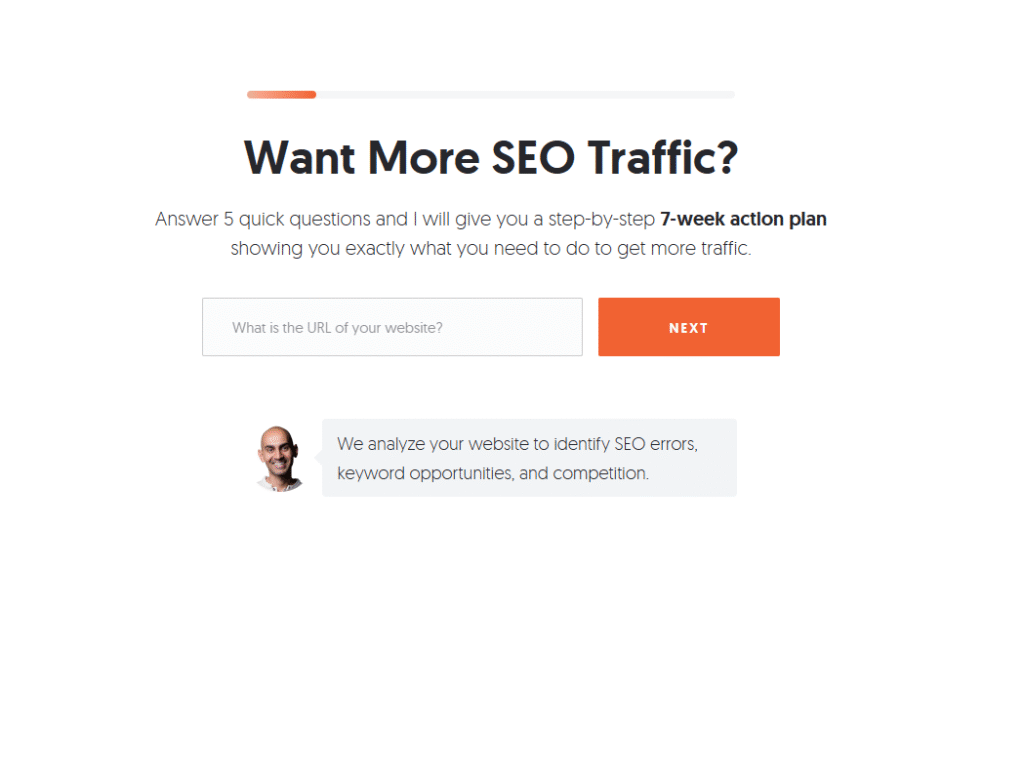
Ubersuggest, created by Neil Patel, is a beginner-friendly SEO tool that blends keyword research, site audits, and content idea generation into one dashboard. It’s ideal for those who want both keyword insights and competitive analysis without juggling multiple platforms. The free version is generous enough for small websites and individual marketers.
Key Features
1. Keyword Overview
Enter a keyword to see its monthly search volume, SEO difficulty, paid difficulty, and cost-per-click. This gives you a quick read on whether a keyword is worth targeting.
2. Content Ideas
Find top-performing blog posts and pages for your keyword, sorted by estimated traffic, social shares, and backlinks. This shows what type of content Google is rewarding for that search.
3. Site Audit Tool
Run a basic site health check to uncover technical SEO issues. The report also suggests fixes, making it approachable even for non-technical users.
4. Competitor Analysis
See which keywords bring traffic to your competitors. You can also identify the gaps between your site and theirs to spot easy wins.
5. Backlink Data
Check who’s linking to you or your competitors. This helps guide link-building strategies with proven backlink sources.
Pros & Cons
| Pros | Cons |
| Combines keyword, content, and site audit | Limited daily searches on free plan |
| Easy-to-use interface | Data can lag compared to premium tools |
| Includes backlink tracking | SEO difficulty score can be broad |
| Shows competitor keyword data | Lacks deep technical SEO features |
Pricing
Free plan available with limited daily searches, paid plans start at $12/month.
Best For Marketers Who Want an All-in-One Starter Tool
Who it’s ideal for
- Small Businesses – One tool for keyword ideas, content planning, and basic audits
- Bloggers – Find trending topics and related content ideas
- Freelancers – Quickly analyze competitors before pitching SEO services
- New SEO Learners – Simple interface that’s easy to grasp without training
Ubersuggest’s combination of keyword data, competitor research, and content ideas makes it a strong choice for those starting their SEO journey or needing a lightweight all-in-one tool.
Pro Tip
Use the Content Ideas feature to identify articles with high traffic but low backlink counts. These can be easier to outrank with a well-structured post.
Best Alternate Tool
Serpstat Free Plan – Similar feature set with strong keyword clustering capabilities.
4. AnswerThePublic – Turn Questions into SEO Opportunities
AnswerThePublic is a free SEO tool that visualizes search queries as a network of questions, prepositions, and comparisons. It’s widely used by content marketers, SEO strategists, and copywriters to find topics that directly match what people are asking online. This makes it a go-to resource for targeting long-tail keywords and creating content that captures search intent.
Key Features
1. Question-Based Keyword Mapping
Enter a keyword, and AnswerThePublic generates questions like “how,” “what,” “where,” “why,” and “when” around it. These are ideal for blog titles, FAQ sections, and featured snippet targeting.
2. Preposition & Comparison Data
Uncover “keyword + with,” “keyword + for,” and “keyword vs” searches to spot niche opportunities and alternative angles for your content.
3. Visual Keyword Cloud
Get a visual map of keyword variations for brainstorming sessions or client presentations. It’s both informative and easy to digest.
4. Language & Region Targeting
Select the language and country for more relevant search data. This is especially useful for local SEO and multilingual campaigns.
5. CSV Export
Download the full list of search queries for integration into your content planning spreadsheet or SEO tool stack.
Pros & Cons
| Pros | Cons |
| Great for uncovering long-tail keywords | Limited free daily searches |
| Visual format makes keyword planning easy | No search volume data in free version |
| Strong for featured snippet targeting | Data quality depends on Google’s autosuggest |
| Supports multiple languages & regions | No in-depth SEO metrics like difficulty |
Pricing
Free plan with limited daily searches, paid plans start at $9/month.
Best For Creating Content That Matches Search Intent
Who it’s ideal for
- Content Marketers – Plan blog posts around specific questions people ask
- SEO Agencies – Build client content calendars backed by real search queries
- Ecommerce Stores – Answer pre-purchase questions to drive conversions
- YouTubers & Podcasters – Turn question keywords into episode titles
If you need content ideas based on actual user searches, AnswerThePublic is a fast, effective way to build an editorial plan that aligns with audience needs.
Pro Tip
Combine AnswerThePublic’s question keywords with Google Search Console data to find gaps between what people search for and what your site currently covers.
Best Alternate Tool
Keywords Everywhere – Similar keyword suggestions but with integrated search volume and CPC data.
5. Screaming Frog SEO Spider – The Technical SEO Crawler
Screaming Frog SEO Spider is a desktop-based crawler that scans your website just like a search engine would. The free version lets you crawl up to 500 URLs, making it ideal for small to medium websites. It’s a favorite among technical SEOs for finding broken links, duplicate content, missing metadata, and other on-site issues that impact rankings.
Key Features
1. Comprehensive Site Crawling
Quickly scan your site’s internal linking structure, meta tags, header hierarchy, and status codes. The crawl report gives you a bird’s-eye view of your technical SEO health.
2. Broken Link Checker
Find 404 errors and other broken internal/external links that can harm user experience and SEO authority flow.
3. Metadata & Header Analysis
Identify missing, duplicate, or overlong title tags and meta descriptions, plus check H1/H2 usage for on-page SEO alignment.
4. XML Sitemap Generation
Create and customize XML sitemaps directly from the tool, ensuring search engines can efficiently index your pages.
5. Integration with Google Tools
Pull in data from Google Analytics and Google Search Console to enhance your crawl reports with traffic and performance insights.
Pros & Cons
| Pros | Cons |
| In-depth technical SEO insights | Desktop app only, not cloud-based |
| Free plan covers up to 500 URLs | Steeper learning curve for beginners |
| Fast crawling speed | Limited export options on free plan |
| Integrates with Google Analytics & Search Console | Paid version required for full feature set |
Pricing
Free for up to 500 URLs; paid version is £149/year.
Best For Technical SEO Audits on Small to Mid-Size Sites
Who it’s ideal for
- SEO Agencies – Quick audits before client onboarding
- Web Developers – Check site health during and after builds
- Content Teams – Ensure metadata is correctly implemented site-wide
- Small Business Owners – Spot and fix technical errors without hiring a consultant
Screaming Frog’s free version is powerful enough to reveal key site issues that could be holding back your rankings. It’s an essential technical SEO tool for any toolkit.
Pro Tip
Run a crawl after every major site update or migration to catch broken links, missing meta tags, or redirected URLs before they impact rankings.
Best Alternate Tool
Seobility – Cloud-based crawler with a free plan that includes daily automated checks.
6. Ahrefs Webmaster Tools – Backlink & Site Health Insights
Ahrefs Webmaster Tools (AWT) is the free version of Ahrefs designed for website owners who want to monitor backlinks, track keyword rankings, and keep an eye on technical site health. Unlike most free SEO tools, AWT offers deep backlink data, making it especially valuable for link-building strategies.
Key Features
1. Backlink Profile Analysis
See all referring domains, the number of backlinks, and anchor text distribution. Spot new, lost, or broken backlinks to manage your link equity effectively.
2. Organic Keyword Tracking
Monitor which keywords your site ranks for and track their position changes over time. This helps identify both growth opportunities and potential ranking drops.
3. Site Audit Tool
Run a comprehensive technical SEO audit to detect issues such as broken links, missing alt text, slow-loading pages, and duplicate content.
4. Referring Domain Quality Check
Evaluate the Domain Rating (DR) of sites linking to you. Focus on high-quality referring domains for stronger authority signals.
5. Competitor Benchmarking
Compare your backlink profile and keyword visibility against competitors to identify content and link-building gaps.
Pros & Cons
| Pros | Cons |
| Access to Ahrefs’ industry-leading backlink data | Limited to sites you verify ownership of |
| Free plan offers powerful insights | Fewer keyword tracking options vs paid Ahrefs |
| High-quality site audit tool | Daily data updates only in paid plan |
| Competitor comparison features included | No access to Ahrefs’ full keyword explorer |
Pricing
Free for verified site owners; full Ahrefs plans start at $99/month.
Best For Website Owners Focused on Backlinks & Site Health
Who it’s ideal for
- Link Builders – Track the growth and quality of backlink profiles
- SEO Agencies – Provide backlink reports to clients without paying for a full plan
- Small Business Websites – Monitor link health and keyword rankings on a budget
- Content Marketers – Spot content that earns backlinks naturally
Ahrefs Webmaster Tools gives you a powerful mix of backlink intelligence and technical SEO auditing for free. It’s a must-have if link building is part of your strategy.
Pro Tip
Set up email alerts for new backlinks so you can thank site owners or leverage the link for relationship-building.
Best Alternate Tool
Majestic Free Plan – Focuses entirely on backlink metrics like Trust Flow and Citation Flow.
7. Semrush Free Plan – All-in-One SEO Starter
Semrush is one of the most widely used SEO platforms, and its free plan offers a scaled-down but still powerful set of features. It covers keyword research, backlink tracking, site audits, and competitive analysis. For marketers who want a single dashboard to manage multiple aspects of SEO, the free version is a solid starting point.
Key Features
1. Keyword Overview & Magic Tool
Get search volume, keyword difficulty, and SERP analysis in one place. The Keyword Magic Tool also generates related terms to build topic clusters.
2. Competitor Domain Analysis
Enter a competitor’s domain to uncover their top organic keywords, backlinks, and paid advertising strategies.
3. Backlink Audit & Gap Analysis
Compare your backlink profile with competitors to find high-value link opportunities you’re missing.
4. Site Audit Reports
Scan for technical and on-page SEO issues, from broken links to slow-loading pages, and get prioritised recommendations for fixes.
5. Position Tracking
Monitor keyword rankings on a daily basis for up to 10 keywords in the free plan—enough for small sites or targeted campaigns.
Pros & Cons
| Pros | Cons |
| Combines keyword, backlink, and site audit tools | Free plan has a small daily limit |
| High-quality competitor insights | Most advanced features require paid plan |
| Trusted by top agencies worldwide | Keyword tracking capped at 10 per project |
| Strong user interface | Data export limited on free plan |
Pricing
Free plan with limited queries; paid plans start at $129.95/month.
Best For Beginners Wanting a Versatile SEO Toolkit
Who it’s ideal for
- Freelance Marketers – Track small campaigns without a big investment
- Startups – Research competitors and keywords before scaling
- Content Creators – Identify ranking opportunities and SERP competitors
- Local Businesses – Monitor a handful of target keywords in their area
While the free version is limited, Semrush still delivers valuable all-in-one functionality for SEO newcomers and small campaigns. It’s especially strong for competitive research.
Pro Tip
Use the Backlink Gap tool to see which domains link to your competitors but not to you, then prioritize outreach to those sites.
Best Alternate Tool
Serpstat Free Plan – Similar all-in-one functionality with slightly more generous free keyword data limits.
8. MozBar – On-the-Fly SEO Insights in Your Browser
MozBar is a free Chrome extension from Moz that delivers instant SEO metrics while you browse. It’s perfect for quick competitor checks, on-page analysis, and link evaluation without opening a separate tool. Many SEO professionals keep it installed for day-to-day research and SERP evaluation.
Key Features
1. Instant Domain Authority & Page Authority
See a site’s Domain Authority (DA) and Page Authority (PA) scores directly in your browser, helping you gauge link quality and competitiveness at a glance.
2. On-Page SEO Analysis
View a breakdown of title tags, meta descriptions, headers, and other key on-page elements for any page you visit.
3. SERP Overlay
When searching in Google, MozBar adds DA, PA, and link counts directly into the search results, helping you assess competition before targeting a keyword.
4. Link Highlighting
Differentiate between followed, nofollow, internal, and external links instantly while browsing.
5. Export SERP Data
Download Google search results into a CSV for quick offline analysis and keyword tracking.
Pros & Cons
| Pros | Cons |
| Convenient Chrome extension | DA/PA are Moz metrics, not Google’s |
| Great for quick competitive checks | Free version limits advanced metrics |
| Adds SEO context directly in SERPs | Requires Chrome or Chromium-based browser |
| Easy for beginners to use | Not as in-depth as full Moz Pro tools |
Pricing
Free extension with optional Moz Pro upgrade starting at $99/month.
Best For Quick SEO Checks Without Leaving Your Browser
Who it’s ideal for
- Link Builders – Evaluate potential outreach targets quickly
- Content Teams – Check on-page optimization while editing content
- SEO Beginners – Learn the basics of DA, PA, and link types in real time
- Freelancers – Do lightweight competitor research without a full tool subscription
MozBar’s convenience and instant metrics make it a must-have browser add-on for fast SEO insights. While it won’t replace a full SEO suite, it’s perfect for on-the-go checks.
Pro Tip
Use the SERP overlay to quickly identify low-DA sites ranking for your target keywords—these are potential openings to compete and win rankings.
Best Alternate Tool
SEOquake – Another browser extension with similar functionality but more customizable on-page audits.
9. Yoast SEO (Free) – WordPress On-Page Optimization Made Simple
Yoast SEO is the most popular WordPress plugin for on-page SEO, with over five million active installations. The free version covers the essentials helping site owners write SEO-friendly titles, meta descriptions, and content that’s structured for both users and search engines.
Key Features
1. Real-Time Content Analysis
Yoast evaluates your post as you write, checking keyword usage, sentence length, subheading distribution, and readability scores.
2. Title & Meta Description Templates
Set default templates for titles and meta descriptions so your pages maintain consistent formatting across the site.
3. XML Sitemap Generation
Automatically generates and updates your XML sitemap, ensuring search engines can efficiently index your content.
4. Schema Markup Support
Adds structured data to your pages, improving how your content appears in search results.
5. Readability Checks
Analyzes sentence complexity, paragraph length, and use of transition words, making sure content is easy to digest for a broad audience.
Pros & Cons
| Pros | Cons |
| Easy to use for beginners | Advanced SEO features require premium version |
| Integrates seamlessly with WordPress | Can be overkill for very small sites |
| Covers both SEO and readability checks | Real-time suggestions may not suit all writers |
| Auto-generates XML sitemaps | Limited keyword analysis compared to full SEO tools |
Pricing
Free plugin, premium version starts at $99/year.
Best For WordPress Site Owners Who Want Guided SEO
Who it’s ideal for
- Bloggers – Get instant feedback while writing posts
- Small Businesses – Maintain consistent SEO best practices across pages
- Content Writers – Ensure every article meets basic SEO requirements
- WordPress Beginners – Have built-in SEO structure without manual coding
Yoast SEO’s free version is more than enough for most WordPress users to keep content optimized and technically sound. Its real-time guidance is especially helpful for non-technical site owners.
Pro Tip
Use Yoast’s “Focus Keyphrase” feature for every post, but also manually target secondary keywords in your headings and body text to capture additional search queries.
Best Alternate Tool
Rank Math (Free) – Another WordPress SEO plugin with similar features but adds keyword tracking and more schema options.
10. Rank Math (Free) – WordPress SEO with Extra Muscle
Rank Math is a fast-growing WordPress SEO plugin that rivals Yoast but offers more advanced features in its free version. It includes keyword tracking, built-in schema markup, and deep WooCommerce SEO support making it a strong choice for site owners who want more control without paying upfront.
Key Features
1. Multiple Focus Keywords
Unlike Yoast’s free version, Rank Math lets you optimize for up to five keywords per page, giving you a broader reach for each piece of content.
2. Built-In Schema Templates
Add structured data for articles, products, recipes, and more, directly from the editor. This can improve how your listings appear in search results.
3. Keyword Rank Tracking
Monitor your keyword positions from inside WordPress, so you don’t need a separate tool for basic rank monitoring.
4. WooCommerce SEO Tools
Optimize product titles, meta descriptions, and schema specifically for eCommerce stores running on WooCommerce.
5. 404 Monitor & Redirection Manager
Identify broken links and create redirects on the spot to preserve link equity.
Pros & Cons
| Pros | Cons |
| More free features than most SEO plugins | Can feel overwhelming for beginners |
| Includes keyword tracking in free version | Requires careful setup for maximum benefit |
| Great WooCommerce integration | Slightly heavier plugin compared to Yoast |
| Built-in schema support | Some advanced schema types need premium |
Pricing
Free plugin; pro version starts at $59/year.
Best For WordPress Users Who Want Advanced Features Without Paying
Who it’s ideal for
- Ecommerce Store Owners – Get better SEO control over WooCommerce product pages
- Affiliate Marketers – Target multiple keywords per article for broader reach
- Small Agencies – Manage SEO for multiple WordPress sites efficiently
- Tech-Savvy Bloggers – Use schema and redirects without third-party plugins
Rank Math delivers a lot of what other plugins charge for, making it a great fit for site owners who want powerful SEO control without a budget commitment.
Pro Tip
Activate only the modules you need to keep your site lightweight while still benefiting from Rank Math’s extra features.
Best Alternate Tool
Yoast SEO (Free) – Simpler interface, better for beginners who don’t need advanced features.
11. Keywords Everywhere – Keyword Data in Your Browser
Keywords Everywhere is a browser extension for Chrome and Firefox that shows keyword metrics like search volume, CPC, and competition directly within search engines and popular websites. It’s a quick way to get keyword insights without switching to a separate research tool. The free version offers related keyword suggestions and basic SEO data right in your search results.
Key Features
1. Related Keyword Suggestions
View a list of related terms alongside your Google search results. This helps uncover additional phrases to target in your content.
2. “People Also Search For” Data
Pulls Google’s related queries so you can create content that aligns with multiple search intents.
3. On-Page Keyword Analysis
Scan any page to see the keywords it’s targeting and their density, which can inform your own optimization strategy.
4. Works Across Multiple Sites
Integrates with Google Search, YouTube, Amazon, and more helping with SEO, video optimization, and even eCommerce keyword research.
5. Lightweight & Fast
Runs directly in your browser with minimal impact on performance, making it easy to keep active all the time.
Pros & Cons
| Pros | Cons |
| Instant keyword suggestions while you browse | Free version lacks volume and CPC data |
| Works on multiple platforms beyond Google | Paid credit system needed for full data |
| Easy to install and use | No deep competitor analysis features |
| Great for quick keyword checks | Limited historical trend data in free tier |
Pricing
Free version with limited features, paid plan starts at $15/year for credits that unlock volume, CPC, and competition metrics.
Best For Quick, On-the-Go Keyword Ideas
Who it’s ideal for
- Content Creators – Find related terms while researching topics
- SEO Freelancers – Do quick keyword checks during audits or calls
- YouTubers – Research video keywords directly in YouTube’s search bar
- Small eCommerce Stores – Spot product-related keywords on Amazon searches
Keywords Everywhere is perfect for those who want keyword suggestions in real time while they browse. It’s especially useful for content ideation and quick-win keyword targeting.
Pro Tip
Use the free related keyword list, then plug the terms into Google Keyword Planner for free volume and competition data.
Best Alternate Tool
AnswerThePublic – Better for visualizing questions and long-tail queries around a topic.
12. SEOquake – Instant SEO Metrics for Any Page
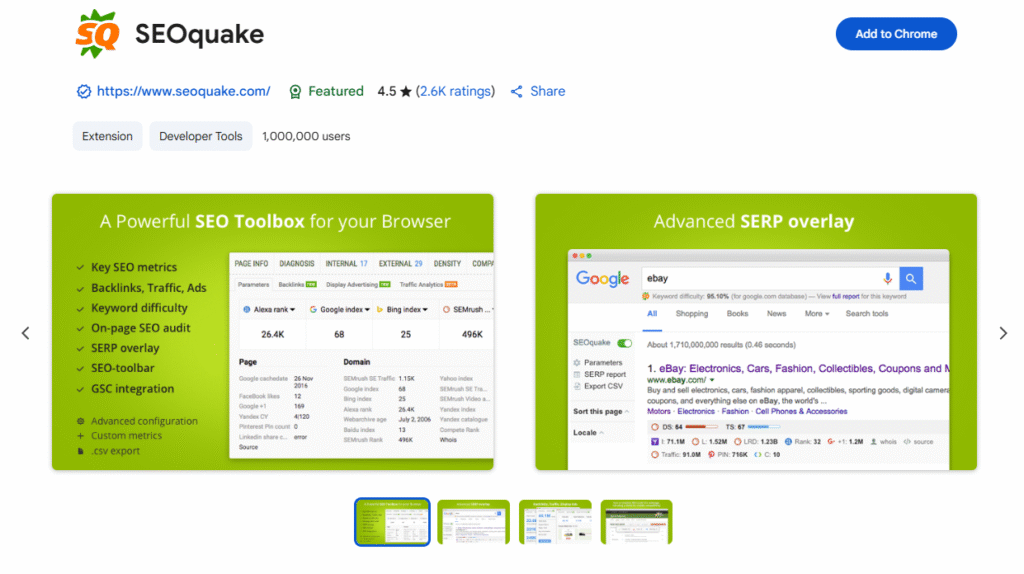
SEOquake is a free browser extension from Semrush that provides a quick SEO audit of any page you visit. It’s designed for SEOs, marketers, and developers who want instant metrics like keyword density, backlink counts, and meta data without opening a separate platform.
Key Features
1. On-Page SEO Audit
Analyze title tags, meta descriptions, headers, and keyword density directly from the browser. Ideal for quick checks before publishing or during competitor analysis.
2. SERP Overlay
Add key metrics (like domain age, Alexa rank, and number of backlinks) directly into Google search results to assess the competition fast.
3. Keyword Density Report
See which keywords appear most frequently on a page and in what context helpful for optimizing your own content.
4. Link Analysis
Highlight internal, external, followed, and nofollow links for any page, making link audits faster.
5. Exportable Reports
Download audit results to CSV for offline analysis or client reporting.
Pros & Cons
| Pros | Cons |
| Fully free browser extension | Some metrics rely on third-party data sources |
| Fast, convenient SEO checks | Interface feels dated compared to newer tools |
| Strong SERP overlay for competitor scanning | Lacks advanced keyword research features |
| Works in Chrome, Firefox, and Opera | No rank tracking or site-wide crawling |
Pricing
Completely free, no paid version.
Best For Fast, No-Frills SEO Checks
Who it’s ideal for
- Freelancers – Quick audits without logging into a full SEO suite
- Content Editors – Verify on-page SEO before publishing
- Link Builders – Check link attributes instantly while prospecting
- Small Teams – Lightweight alternative to full-site audit tools for quick insights
SEOquake is a reliable, no-cost way to get immediate SEO metrics while browsing. It’s not a replacement for deeper audits, but it’s perfect for quick checks and competitive scanning.
Pro Tip
Use the SERP overlay to spot low-authority domains ranking for your target keywords these might be easier opportunities to outrank.
Best Alternate Tool
MozBar – Similar browser-based SEO metrics with Moz’s proprietary DA and PA scores.
13. GTmetrix – Page Speed & Performance Analyzer
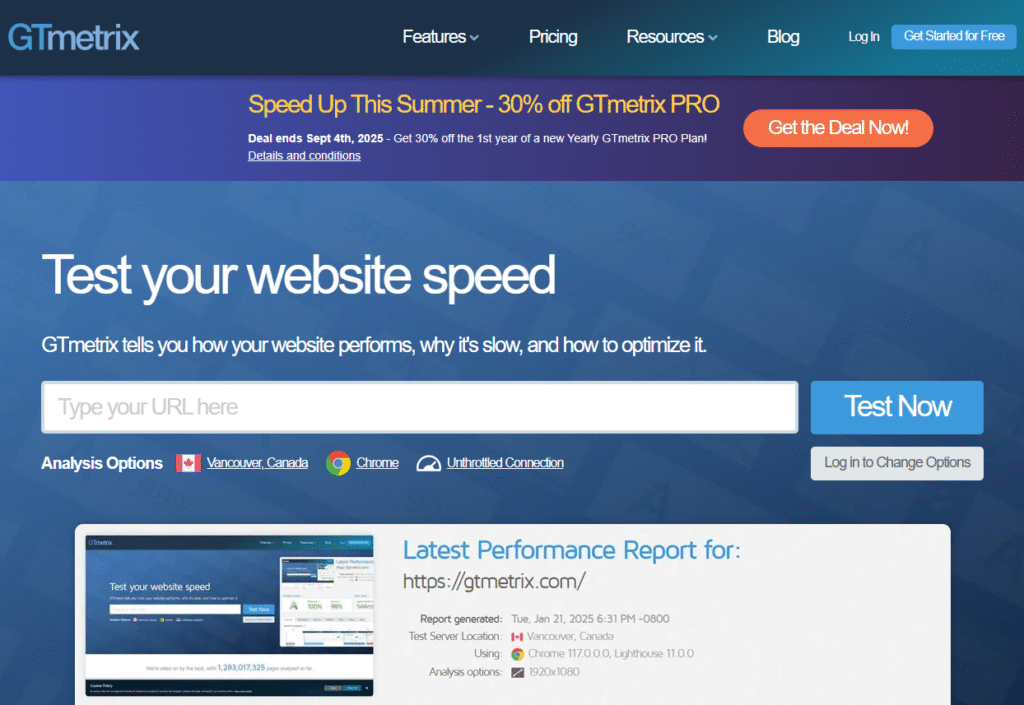
GTmetrix is a free website performance testing tool that measures load speed, visual stability, and responsiveness. While it’s not a traditional keyword or backlink tool, site speed is a key SEO factor, making GTmetrix an essential part of any optimization toolkit.
Key Features
1. Detailed Performance Scores
Get an overall performance grade along with breakdowns of load time, total page size, and the number of requests made.
2. Waterfall Analysis
Visualize how each element on your page loads, helping pinpoint scripts, images, or plugins slowing your site down.
3. Core Web Vitals Testing
Evaluate metrics like Largest Contentful Paint (LCP) and Cumulative Layout Shift (CLS), which directly influence Google rankings.
4. Device & Location Testing
Simulate page load on different devices and from multiple geographic locations to see how performance varies for different audiences.
5. Optimization Recommendations
Receive prioritized, actionable suggestions for improving load time, from image compression to browser caching.
Pros & Cons
| Pros | Cons |
| Free, in-depth site speed analysis | Some advanced tests require a free account |
| Waterfall chart makes problem areas obvious | Lacks ongoing automated monitoring in free plan |
| Includes Core Web Vitals scoring | Focused only on speed, not full SEO audits |
| Multiple device and location testing options | May overwhelm beginners with technical details |
Pricing
Free version available, PRO plans start at $13/month.
Best For Speed-Focused SEO and UX Improvements
Who it’s ideal for
- Technical SEOs – Verify Core Web Vitals improvements post-optimization
- Web Developers – Pinpoint resource-heavy elements during site builds
- Ecommerce Owners – Ensure fast product page loads to reduce cart abandonment
- Content Publishers – Improve mobile speed for better rankings and reader experience
GTmetrix is one of the most trusted tools for diagnosing and fixing site speed issues. While it’s not a keyword tool, improving load time can have a measurable impact on rankings and conversions.
Pro Tip
Run GTmetrix tests after every major content upload or design change to ensure new assets aren’t slowing your site.
Best Alternate Tool
PageSpeed Insights – Google’s own speed-testing tool with direct integration into search ranking metrics.
14. PageSpeed Insights – Google’s Official Speed Testing Tool
PageSpeed Insights is Google’s free tool for analyzing website performance and providing recommendations to improve load speed and user experience. It evaluates both mobile and desktop versions of your site using real-world Chrome User Experience (CrUX) data and lab simulations.
Key Features
1. Core Web Vitals Assessment
Measures Largest Contentful Paint (LCP), First Input Delay (FID), and Cumulative Layout Shift (CLS) metrics Google considers in its ranking algorithm.
2. Mobile & Desktop Reports
See separate performance scores for mobile and desktop, each with tailored improvement suggestions.
3. Field Data & Lab Data
Combines actual user experience metrics with simulated test results for a complete view of site performance.
4. Prioritized Recommendations
Lists opportunities and diagnostics, such as reducing unused JavaScript or optimizing images, ranked by potential impact.
5. Accessibility & SEO Checks
Includes basic accessibility and SEO tests, making it more versatile than just a speed checker.
Pros & Cons
| Pros | Cons |
| 100% free from Google | Recommendations can be technical for beginners |
| Uses real user data from Chrome | No competitor comparison feature |
| Clear, prioritized improvement suggestions | Focuses mainly on speed-related metrics |
| Evaluates both mobile and desktop separately | Can be sensitive to small page changes |
Pricing
Completely free; no account required.
Best For Aligning Site Speed with Google’s Ranking Criteria
Who it’s ideal for
- SEO Professionals – Validate Core Web Vitals compliance
- Web Designers – Ensure designs perform well across devices
- Business Owners – Identify and fix speed issues without paid tools
- Content Managers – Test individual pages for quick wins in rankings
Since PageSpeed Insights comes directly from Google, it’s the most authoritative speed testing tool for SEO purposes. If Google flags something here, it’s worth fixing.
Pro Tip
Focus on mobile scores first google uses mobile-first indexing, so a poor mobile score can hold back your entire site’s rankings.
Best Alternate Tool
GTmetrix – Offers more visual diagnostics like waterfall charts to pinpoint speed bottlenecks.
15. Seobility – All-in-One Website SEO Checker
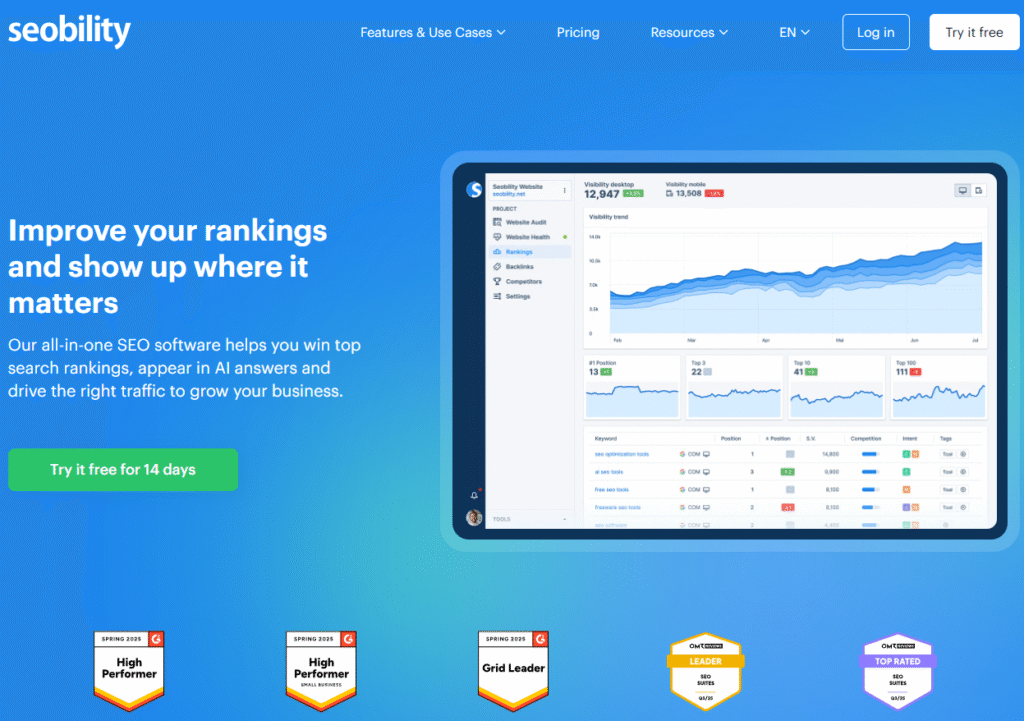
Seobility is a cloud-based SEO platform that offers keyword tracking, on-page analysis, and technical site audits. The free plan allows daily checks and monitoring for one project, making it a strong choice for small websites that need ongoing optimization support.
Key Features
1. On-Page SEO Analysis
Scans your site for meta tag issues, duplicate content, internal linking problems, and keyword placement opportunities.
2. Technical SEO Crawler
Finds errors like broken links, slow-loading pages, and missing structured data, then prioritizes them for fixing.
3. Keyword Monitoring
Tracks daily rankings for up to 10 keywords in the free plan, helping you measure the impact of SEO efforts over time.
4. Backlink Analysis
Reviews your existing backlinks and identifies potential toxic links that could harm rankings.
5. Competitor Tracking
Compares your keyword rankings against competitors to identify content and optimization gaps.
Pros & Cons
| Pros | Cons |
| Free daily SEO checks for one project | Keyword tracking limit is low on free plan |
| Combines on-page, technical, and backlink data | More advanced link-building tools require upgrade |
| Cloud-based no downloads needed | Some reports are less detailed than premium SEO suites |
| Includes competitor tracking | Limited export features in free version |
Pricing
Free plan for one project, premium plans start at €50/month.
Best For Small Websites Needing Daily Automated Checks
Who it’s ideal for
- Local Businesses – Keep site health in check without paying for a full suite
- Freelancers – Monitor client sites daily with minimal effort
- Bloggers – Get alerts for SEO issues before they impact traffic
- Small Marketing Teams – Have a single dashboard for core SEO metrics
Seobility’s free plan is one of the most generous for automated SEO checks. It’s a great option for keeping a constant pulse on site performance without extra tools.
Pro Tip
Use Seobility’s daily keyword monitoring alongside Google Search Console data to verify ranking improvements and catch drops early.
Best Alternate Tool
Screaming Frog SEO Spider – Better for deeper, manual technical audits if you prefer desktop tools.
16. Serpstat Free Plan – Versatile SEO & Competitor Research
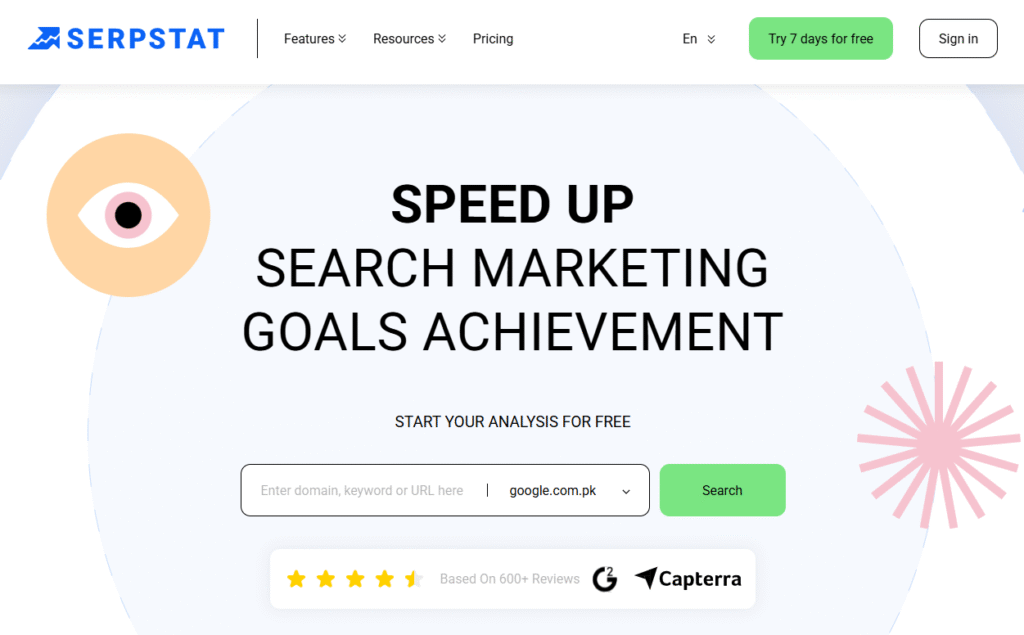
Serpstat is an all-in-one SEO platform with a focus on keyword research, competitor analysis, and site audits. The free plan offers a limited number of daily searches, but it’s still valuable for spotting keyword gaps, analyzing SERPs, and tracking rankings for smaller projects.
Key Features
1. Keyword Research & Clustering
Generate keyword ideas, group them by topic, and identify terms with high potential for traffic and conversions.
2. Competitor Domain Analysis
See which keywords and pages drive the most traffic to your competitors, and spot opportunities to outperform them.
3. Site Audit Tool
Crawl your website for technical and on-page issues, then get prioritized recommendations for fixes.
4. Rank Tracking
Monitor daily keyword positions, with the option to filter results by location or device type.
5. SERP Analysis
Evaluate the competitive landscape for target keywords, including featured snippets and related search opportunities.
Pros & Cons
| Pros | Cons |
| Combines keyword, audit, and tracking tools | Limited daily searches on free plan |
| Strong competitor analysis features | Data depth less than premium competitors |
| Keyword clustering helps build topic authority | Interface can feel busy for beginners |
| Location and device-specific rank tracking | Free plan limited to one project |
Pricing
Free plan with restricted daily limits, paid plans start at $59/month.
Best For Competitive Keyword Strategy on a Budget
Who it’s ideal for
- Small Agencies – Quick competitive audits without committing to a paid plan
- Bloggers – Identify untapped keyword clusters to grow organic traffic
- Freelancers – Provide keyword and competitor insights in client reports
- Startups – Research competitors before scaling campaigns
Serpstat’s free version is a solid option for smaller SEO campaigns that need a mix of keyword research, competitor insights, and technical checks.
Pro Tip
Use the Keyword Clustering feature to plan pillar pages and supporting articles, making it easier to build topical authority.
Best Alternate Tool
Ubersuggest – Similar in scope, with a slightly more beginner-friendly interface.
17. Woorank Free Plan – SEO Health & Marketing Overview
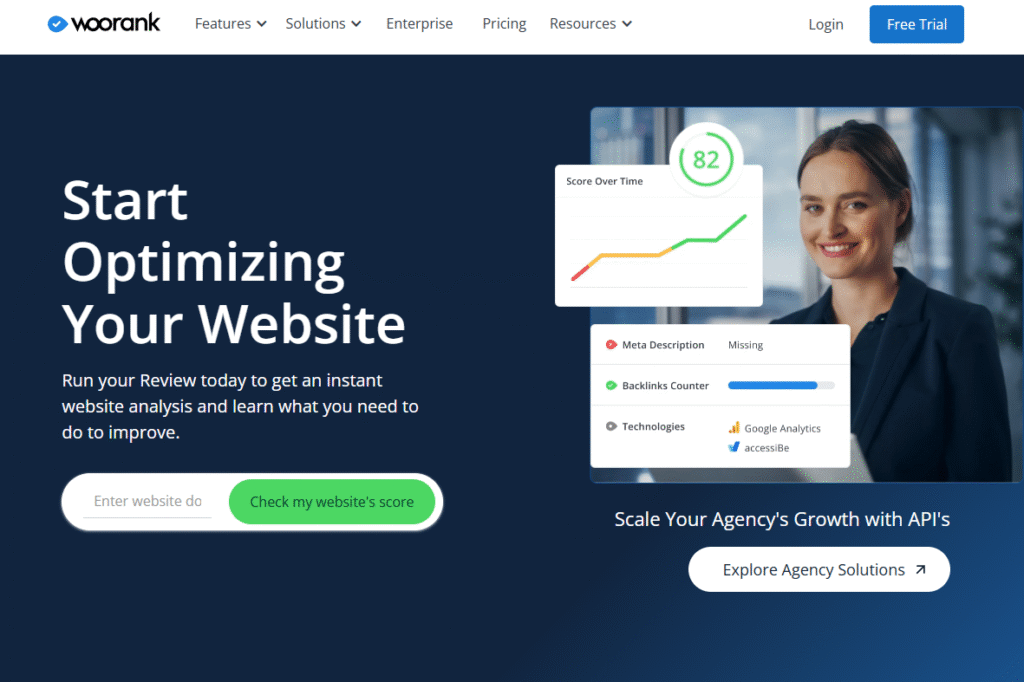
Woorank is a website review and SEO audit tool that evaluates both on-page and off-page factors. The free plan allows you to run one detailed website review per week, making it best suited for occasional audits rather than daily monitoring. It’s particularly useful for marketers who want an easy-to-read report for clients or internal teams.
Key Features
1. In-Depth Website Review
Generates a comprehensive report covering SEO, usability, mobile performance, and security factors.
2. Keyword Tracking
Monitor keyword positions over time to measure the effectiveness of optimization efforts.
3. Competitor Analysis
Benchmark your site against competitors to identify strengths and weaknesses in your strategy.
4. Marketing Checklist
Provides actionable steps for improving SEO, social media presence, and overall online visibility.
5. PDF Reporting
Export clean, branded reports for presentations or client deliverables.
Pros & Cons
| Pros | Cons |
| Combines SEO, usability, and social checks | Free plan limited to one weekly review |
| Easy-to-read, client-friendly reports | Paid plan required for continuous tracking |
| Includes competitor benchmarking | Keyword tracking limit in free version |
| Covers mobile, security, and UX factors | Not as deep on backlink analysis as others |
Pricing
Free plan allows one review per week, paid plans start at $79.99/month.
Best For Client-Friendly SEO Reporting
Who it’s ideal for
- Agencies – Provide clear, non-technical reports to clients
- Small Business Owners – Get a periodic health check without ongoing costs
- Freelancers – Add value to service packages with visual reports
- Marketing Teams – Combine SEO and usability feedback in one review
Woorank is ideal for producing polished, easy-to-understand SEO reports. While its free plan is limited in frequency, the quality of insights makes it worth using for periodic audits.
Pro Tip
Run a Woorank audit before a site redesign to create a benchmark for measuring improvements afterward.
Best Alternate Tool
Seobility – Better for daily automated checks if you need constant monitoring.
18. Majestic Free Plan – Backlink-Focused SEO Analysis
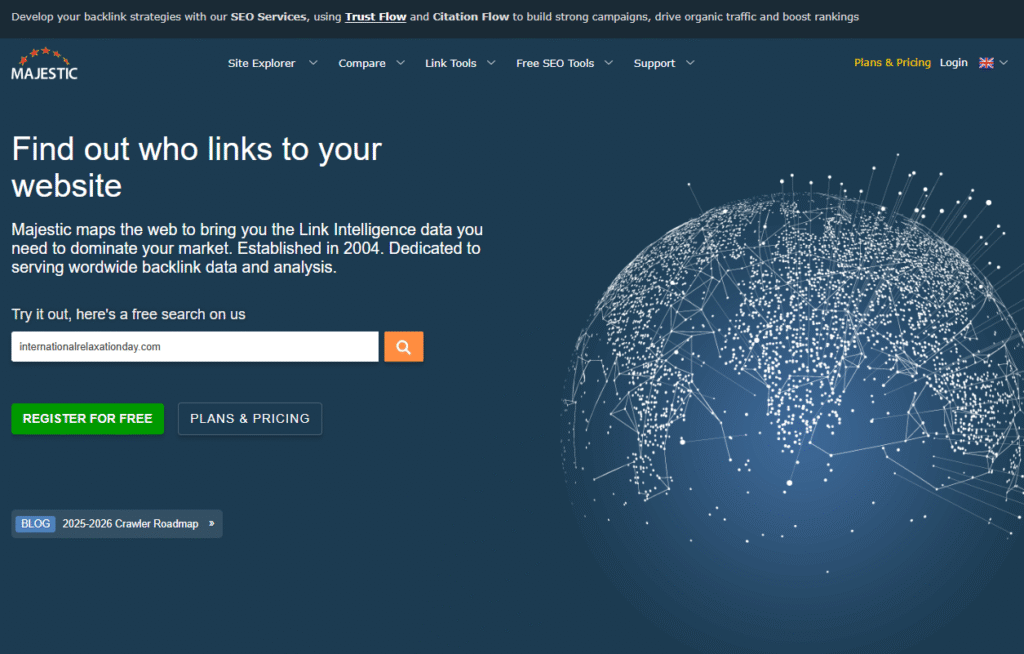
Majestic is a specialist SEO tool focused almost entirely on backlink data. Its free plan provides limited but valuable insights into a site’s link profile, including proprietary metrics like Trust Flow and Citation Flow. It’s a go-to resource for link builders who want a deeper understanding of link quality rather than just quantity.
Key Features
1. Trust Flow & Citation Flow Metrics
Measure the quality (Trust Flow) and quantity (Citation Flow) of backlinks pointing to a site. High Trust Flow suggests links from authoritative, relevant sources.
2. Backlink History Checker
View how a site’s backlink count has changed over time to spot link growth patterns or sudden drops.
3. Referring Domains Report
See the list of domains linking to your site and assess their quality and relevance.
4. Topical Trust Flow
Understand the topical categories your backlinks are associated with helpful for relevance-based link building.
5. Anchor Text Analysis
Check the anchor text distribution in your backlink profile to ensure it aligns with SEO best practices and avoids over-optimization.
Pros & Cons
| Pros | Cons |
| Industry-leading link quality metrics | Limited keyword and on-page data |
| Great for evaluating backlink relevance | Free plan restricted to site ownership verification |
| Detailed anchor text breakdown | No technical SEO audit features |
| Focused entirely on backlinks | Interface can feel complex for new users |
Pricing
Free with site verification, paid plans start at $49.99/month.
Best For Link Quality Analysis
Who it’s ideal for
- Link Builders – Prioritize outreach based on link authority and relevance
- SEO Agencies – Audit client backlink profiles for quality and risk factors
- Affiliate Marketers – Identify authoritative linking opportunities in their niche
- Competitive Researchers – Analyze backlink strategies of top-ranking sites
Majestic is unmatched in backlink quality analysis, making it a valuable addition to any SEO stack, especially for link-focused campaigns.
Pro Tip
Use Topical Trust Flow to ensure your link-building targets are contextually relevant to your niche Google values topical authority.
Best Alternate Tool
Ahrefs Webmaster Tools – Broader backlink analysis with added site health monitoring.
19. Bing Webmaster Tools – SEO Insights for Microsoft Search
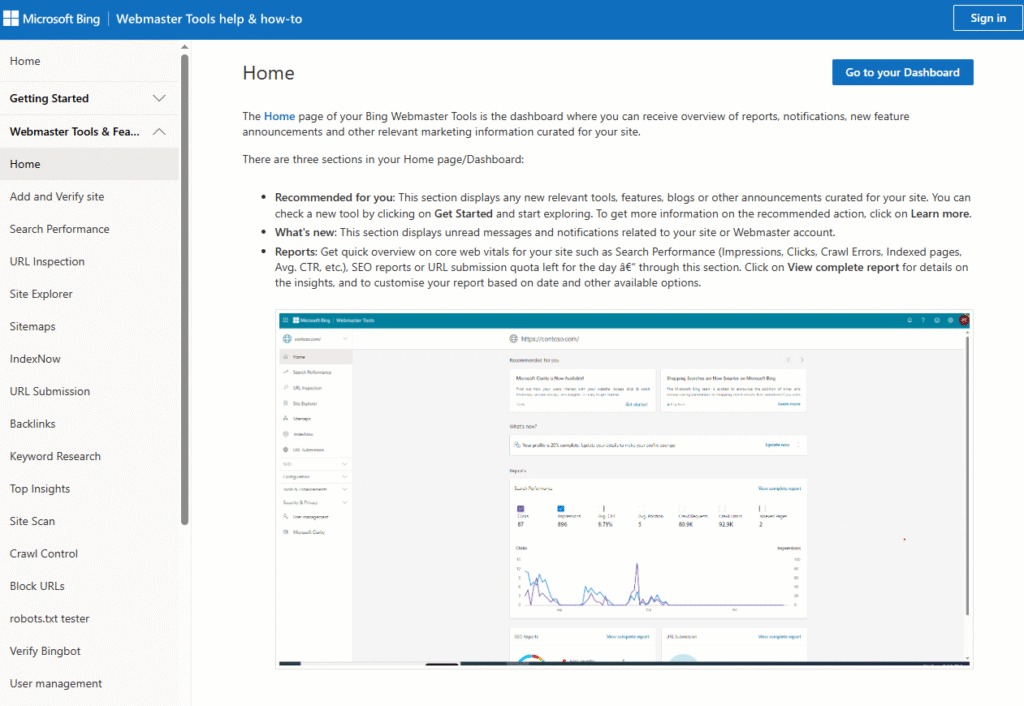
Bing Webmaster Tools is Microsoft’s free platform for monitoring and optimizing your site’s presence in Bing search results. While Bing’s market share is smaller than Google’s, it still represents millions of potential visitors especially from desktop users and voice searches on Windows devices.
Key Features
1. Search Performance Reports
Track clicks, impressions, CTR, and average position for your keywords within Bing search results.
2. URL Inspection Tool
Check index status, last crawl date, and any detected SEO issues for a specific page.
3. Backlink Analysis
See inbound links to your site and their referring domains, along with anchor text distribution.
4. SEO Analyzer
Run on-page audits directly in the dashboard to spot technical issues like missing meta tags or slow-loading pages.
5. Keyword Research Tool
Find keyword suggestions, volumes, and trends based on Bing search data—helpful for targeting audiences outside of Google.
Pros & Cons
| Pros | Cons |
| 100% free from Microsoft | Smaller search market share than Google |
| Provides keyword and backlink insights | Fewer third-party integrations |
| Includes technical SEO auditing tools | Lacks advanced competitor analysis |
| Good source for voice search traffic insights | Less intuitive interface than Google’s tools |
Pricing
Completely free; Microsoft account required.
Best For Expanding Beyond Google Search Traffic
Who it’s ideal for
- SEO Agencies – Offer clients broader search visibility reporting
- Content Creators – Optimize for voice search and desktop traffic
- Ecommerce Stores – Reach Windows device and Edge browser users
- Small Businesses – Get free technical and keyword insights without extra cost
Bing Webmaster Tools is worth setting up even if Bing isn’t your main traffic source. It can reveal untapped keyword opportunities and supplement your Google-based SEO strategy.
Pro Tip
Use the SEO Analyzer before publishing new content. It checks for on-page issues specific to Bing’s ranking signals, which often differ from Google’s.
Best Alternate Tool
Google Search Console – Similar interface but customised to Google’s ecosystem.
20. Small SEO Tools – A Suite of Handy SEO Utilities
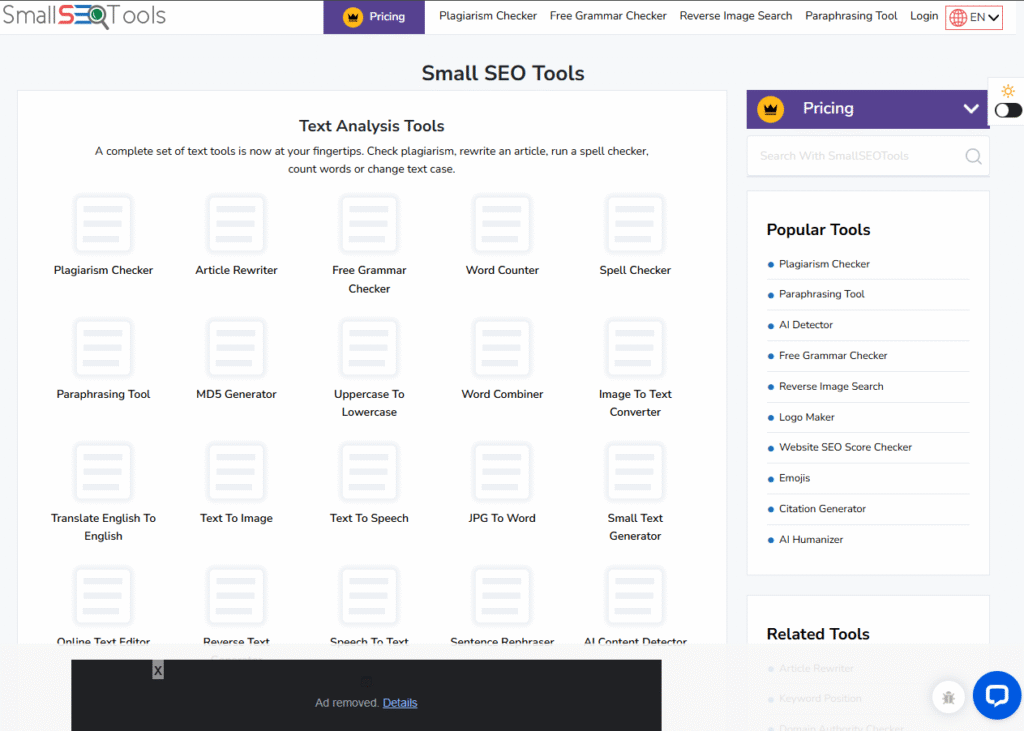
Small SEO Tools is a collection of free, browser-based utilities covering everything from plagiarism detection to backlink checks. It’s not a single-purpose SEO platform but rather a grab bag of tools for quick tasks, making it popular with bloggers, small businesses, and freelancers.
Key Features
1. Plagiarism Checker
Scan your content to ensure originality before publishing. Helpful for avoiding duplicate content penalties and protecting brand reputation.
2. Keyword Position Checker
Check the ranking position of a keyword for your domain in real time without setting up a full rank tracker.
3. Backlink Checker
Get a list of backlinks pointing to your site along with referring domains and anchor text.
4. Grammar & Spell Checker
Polish your content with a basic grammar tool, ensuring readability and professionalism.
5. Image Compression Tool
Reduce image file sizes to improve page load speed without losing noticeable quality.
Pros & Cons
| Pros | Cons |
| Wide variety of free SEO-related utilities | Data accuracy can vary across tools |
| No account needed for most tools | Limited depth compared to dedicated platforms |
| Useful for quick, one-off tasks | No centralized dashboard or reporting |
| Includes content and performance tools | Some tools have daily usage limits |
Pricing
Completely free; some tools have daily use restrictions.
Best For Quick SEO & Content Tasks Without Setup
Who it’s ideal for
- Freelancers – Run spot checks for clients without subscriptions
- Bloggers – Ensure originality and keyword usage before publishing
- Small Businesses – Access multiple SEO utilities without learning complex software
- Content Editors – Use plagiarism and grammar checks alongside keyword tools
Small SEO Tools is a Swiss Army knife for basic SEO and content needs. While it won’t replace full-featured suites, it’s great for quick fixes and checks.
Pro Tip
Use the plagiarism checker before republishing or updating older content it can reveal hidden duplicate issues that hurt rankings.
Best Alternate Tool
Seobility – More structured daily monitoring if you need ongoing SEO oversight.
The Right Free SEO Tool Can Save You Time and Money
The 20 free SEO tools we’ve covered show that you don’t need to spend a fortune to improve your search performance. From Google Search Console for indexing insights to Ahrefs Webmaster Tools for backlink tracking and PageSpeed Insights for Core Web Vitals, there’s a free solution for nearly every SEO challenge.
Whether you’re a freelancer looking for quick audits, a small business owner focused on local rankings, or a content creator hunting for topic ideas, the key is choosing tools that match your goals. Start with one or two essentials, then layer on others as your strategy grows.
How Pearl Lemon Can Help You Win at SEO
If you’re ready to turn SEO from guesswork into a measurable growth channel, Pearl Lemon can guide you every step of the way. We build custom SEO strategies, conduct in-depth audits, and create keyword-driven content plans that get results.
With access to advanced analytics and proven optimization frameworks, we’ll help you identify the right opportunities, track progress, and scale your organic visibility month after month.
Don’t let your competitors take the lead. Schedule a consultation with Pearl Lemon today and see how our approach can improve your rankings and traffic without wasting resources.
Frequently Asked Questions
1. Which free SEO tool is best for beginners?
Google Search Console is the best starting point it’s free, easy to use, and shows how Google views your site.
2. Can I rely solely on free SEO tools for long-term growth?
Yes, if you choose the right mix. However, paid tools can offer deeper insights and save time for larger campaigns.
3. What’s the difference between Google Search Console and Google Analytics?
Search Console focuses on how your site performs in search, while Analytics shows visitor behavior after they land on your site.
4. Do free SEO tools provide accurate data?
Many do especially first-party tools from Google and Bing. Third-party free tools may have sampling limits.
5. Which free tool is best for backlink analysis?
Ahrefs Webmaster Tools provides strong backlink data at no cost for verified sites.
6. How often should I use these tools?
Run checks weekly for ongoing campaigns, and after any major site changes.
7. Can I track local keywords with free tools?
Yes, Google Keyword Planner and Bing Webmaster Tools allow location-specific searches.
8. Do free tools help with Core Web Vitals?
Yes, PageSpeed Insights and GTmetrix both measure and suggest improvements for Core Web Vitals.
9. Which free tool is best for keyword clustering?
Serpstat’s free plan offers basic keyword clustering for building topic authority.
10. Are there any risks in using free SEO tools?
The main limitation is incomplete data or usage caps make sure you supplement with multiple tools for a fuller picture.