Last updated: 3 October 2026
Top 3 picks — the rest of the list is compared in full below.
| Tool | Best for |
|---|---|
| BrightLocal | BrightLocal is a powerful all-in-one local SEO platform built specifically for agencies, consultants, and local business owners. If you’re looking to… |
| Whitespark | Whitespark is one of the most trusted names when it comes to local citation building. While many tools automate submissions, Whitespark focuses on… |
| Moz Local | Moz Local is designed for small businesses and agencies that want to manage business listings, citations, and reputation with minimal hassle. Its… |
Jump to a tool
- 1. BrightLocal – Local SEO Reporting & GBP Management Simplified
- 2. Whitespark – Precision Citation Building for Local Visibility
- 3. Moz Local – Listings Management Made Easy
- 4. Yext – Enterprise Listings & Location Data Management
- 5. Semrush Local – Keyword Tracking Meets Local SEO
- 6. Uberall – Location Marketing for Multi-Location Brands
- 7. Synup – Listings & Analytics for Local Growth
- 8. Local Falcon – Grid-Based Rank Tracking for Google Maps
- 9. GeoRanker – Heatmap Rankings & Local Citation Insights
- 10. ReviewTrackers – Review Monitoring Built for Reputation Management
- 11. Birdeye – Reputation, Messaging, and Local SEO in One
- 12. Reputation.com – Enterprise-Grade Reputation Management for Local SEO
- 13. Chatmeter – Location Intelligence for Brands with 10+ Locations
- 14. Leadferno – Turn Local Web Traffic into SMS Leads
- 15. Surfer Local – On-Page SEO for Local Service Pages
- 16. GMB Everywhere – Chrome Extension for GBP Insights & Competitor Analysis
- 17. Local Viking – GeoGrid Tracking, GBP Scheduling, and Multi-Location Management
- 18. ReviewPush – Simplified Review Aggregation for Local Businesses
- 19. Places Scout – Full-Spectrum Local SEO Toolkit for Agencies
- 20. Alignable – B2B Local Networking & Referral Platform
Struggling to rank your business on “near me” searches? You’re not alone.
Explore our local and international SEO services for related specialist support and resources.
Over 46% of all Google searches are local, and 78% of local mobile searches result in an offline purchase, according to HubSpot. That’s massive buying intent you’re missing if your business isn’t visible when someone searches “service near me.” Two of ours, disclosed as such: LemAudit runs a five-second technical audit of a local site with real Core Web Vitals from Google, and LemRank tracks near-me and local positions daily with an explanation for every movement.
We’ve researched and tested dozens of Local SEO tools across different use cases from citation building and GBP management to review tracking and hyperlocal keyword analysis. Below are the 20 best tools you should consider if you’re serious about dominating local SERPs.
This list is tailored for local business owners, SEO agencies, consultants, and multi-location brands looking to gain traction in local search results.
Whether you’re managing one location or a hundred, these tools are built to get you found without wasting your time or budget. The short answer: to rank in near me searches, your Google Business Profile is the single most important free tool, BrightLocal is the best all-round paid option for rank tracking and citation building, and Semrush Local is the strongest choice if you manage several locations. If you want this handled for you, our local SEO service starts from £3,000 per month with a minimum three-month engagement.
What is Local SEO and Why Should You Care?
Local SEO refers to the process of optimizing your online presence to attract more business from relevant local searches especially searches containing terms like “near me,” “in city,” or “open now.”
If you’re a plumber, law firm, restaurant, dental clinic, or any service provider that depends on foot traffic or geographic proximity, Local SEO isn’t optional it’s survival.
Benefits of Local SEO:
- Appear in Google’s “3-pack” (map listings shown above organic results)
- Attract more high-intent customers nearby
- Increase your chances of phone calls and in-store visits
- Improve local reviews and customer trust
- Build long-term visibility in your geographic service area
And the right tools can automate, monitor, and improve your results across these tasks saving time and multiplying returns.
Local SEO Tools
Before we get into the detailed reviews, here’s a quick snapshot of each tool’s standout use case. This helps you quickly compare pricing, support, ratings, and local SEO capabilities at a glance.
| Tool Name | Best For | Starting Price | Free Trial? | GBP Support | Review Monitoring | Multi-Location Ready |
| BrightLocal | Local audits & GBP mgmt | $39/mo | Yes | Yes | Yes | Yes |
| Whitespark | Citation building | $20/mo | Yes | Yes | Limited | Yes |
| Moz Local | Automated listings sync | $14/mo | No | Yes | Yes | Yes |
| Yext | Enterprise-grade listings | $199/mo | No | Yes | Yes | Yes |
| Semrush Local | Local keyword + listings | $20/mo | Yes | Yes | Yes | Yes |
| Uberall | Listings + reputation | Custom | No | Yes | Yes | Yes |
| Synup | Listings & analytics | Custom | Yes | Yes | Yes | Yes |
| Local Falcon | Geo-grid rank tracking | $24/mo | Yes | Yes | No | Yes |
| GeoRanker | Heatmap & citation audit | $99/mo | Yes | Yes | No | Yes |
| ReviewTrackers | Online reputation focus | Custom | Yes | Yes | Yes | Yes |
| Birdeye | Review & messaging | Custom | Yes | Yes | Yes | Yes |
| Reputation.com | Enterprise reviews | Custom | No | Yes | Yes | Yes |
| Chatmeter | Multi-location insights | Custom | Yes | Yes | Yes | Yes |
| Leadferno | Web-to-text leads | $50/mo | Yes | Yes | No | Yes |
| Surfer Local | On-page for local pages | $29/mo | Yes | No | No | No |
| GMB Everywhere | GBP extension insights | Free-$20/mo | Yes | Yes | No | No |
| Local Viking | Geo-grid + scheduler | $49/mo | Yes | Yes | Yes | Yes |
| ReviewPush | Review aggregation | $29/mo | Yes | Yes | Yes | Yes |
| Places Scout | Rank tracking & audit | $299/mo | Yes | Yes | Yes | Yes |
| Alignable | B2B local networking | Free-$40/mo | Yes | No | No | No |
Top Local SEO Tools to Rank in “Near Me” Searches
We’ll now break down each of these tools in detail. Each section includes: what the tool does, its standout features, pricing, pros/cons, who it’s best for, and a unique way to use it for extra value.
1. BrightLocal – Local SEO Reporting & GBP Management Simplified
BrightLocal is a powerful all-in-one local SEO platform built specifically for agencies, consultants, and local business owners. If you’re looking to audit, track, manage, and grow your local presence efficiently, BrightLocal delivers exceptional value.
Its core strength lies in helping users monitor rankings, manage citations, and optimize Google Business Profiles (GBP) all within one user-friendly dashboard.
Key Features
1. Local Search Rank Tracker
This tool provides accurate geo-specific keyword tracking across search engines. Track “near me” searches and mobile/local visibility metrics by city, ZIP, or even neighborhood level. Essential for local businesses trying to get into the 3-pack.
2. Citation Builder
BrightLocal’s Citation Builder helps you submit and monitor business listings across 1,400+ directories. It identifies NAP (Name, Address, Phone) inconsistencies that may hurt your local rankings and fixes them saving you hours of manual work.
3. Google Business Profile Audit
The GBP Audit tool uncovers listing errors, suggests improvements, and benchmarks your GBP against top competitors. It’s a focused way to stay compliant with Google’s local ranking guidelines and improve your profile’s performance.
4. Review Monitoring & Generation
BrightLocal tracks reviews from over 80+ sites and sends alerts instantly. You can also run review generation campaigns via email/SMS, helping build trust and increase click-through rates in local search.
5. White-Label Reporting
Ideal for agencies, this lets you generate branded audit reports, performance summaries, and monthly updates for clients. Saves time while keeping communication professional.
Pros & Cons Table
| Pros | Cons |
| Designed for local SEO users | Limited integrations |
| Accurate geo-rank tracking | Some features cost extra |
| Strong review tracking tools | No mobile app |
| Affordable entry price | UI could be cleaner |
Pricing
BrightLocal pricing starts at $39/month, which includes local rank tracking, citation monitoring, and GBP auditing.
Citation building campaigns are priced separately based on the number of sites selected.
Best For SEO Consultants, Agencies, and Multi-location SMBs
BrightLocal is a strong pick for professionals managing local SEO at scale.
- Local SEO Agencies – Detailed white-label reports and GBP audits.
- Franchise Owners – Scalable tools to track and manage multi-location visibility.
- Solo Business Owners – Easy-to-understand dashboard with actionable insights.
- Local SEO Freelancers – Affordable entry-level plans with robust features.
- Consultants – Manage multiple clients’ profiles, citations, and reviews in one place.
Pro Tip: Use BrightLocal’s Citation Tracker to monitor which directories your competitors are listed on and mirror their strategy with a higher trust signal.
How to Use BrightLocal for Local Map Pack Optimization
Use the Rank Tracker in BrightLocal to monitor your rankings specifically in map results (not just organic). Run weekly reports segmented by ZIP code to pinpoint exactly where your visibility drops off, then optimize local landing pages for those zones.
Best Alternate Tool: Whitespark
If you’re strictly focused on citation building, Whitespark offers a more manual but precise approach ideal for businesses in competitive local markets or those needing international directories.
2. Whitespark – Precision Citation Building for Local Visibility
Whitespark is one of the most trusted names when it comes to local citation building. While many tools automate submissions, Whitespark focuses on manual, hand-built citation services that target the best directories for your niche and location.
It’s used by thousands of local SEOs, freelancers, and agencies to improve NAP consistency, local link signals, and Google Business Profile trust factors.
Key Features
1. Citation Finder
This tool helps you identify citation opportunities your competitors are using but you’re not. It’s laser-focused on finding citation gaps particularly useful in highly competitive industries like legal, dental, or HVAC.
2. Citation Building Service
With a hands-on team based in Canada, Whitespark manually builds and verifies listings on high-authority, niche-relevant, and geo-targeted directories. This improves your trustworthiness and ranking in “near me” searches.
3. Google Business Review Link Generator
A quick tool that lets you generate direct review links for your GBP, making it easier for customers to leave feedback. Perfect for SMBs needing to grow their review count fast.
4. Local Rank Tracker
While not as deep as BrightLocal, Whitespark offers reliable local pack and organic tracking across locations. You can filter by zip code or keyword cluster for targeted analysis.
5. Reputation Builder
This tool automates the process of asking for customer reviews via email or SMS. Helps manage online reputation at scale without needing another third-party platform.
Pros & Cons Table
| Pros | Cons |
| Manual citation submissions | No review monitoring dashboard |
| Strong niche citation base | UI feels outdated |
| Low-cost entry point | Limited automation |
| Great for international SEO | Smaller tool ecosystem |
Pricing
- Citation Finder Tool: Starts at $20/month
- Citation Building Services: From $4-5 per site, depending on the package
- Reputation Builder: Custom pricing
- Local SEO tools like Rank Tracker and Review Generator are included in higher-tier packages.
Best For Local Businesses Needing Precise Listings
Whitespark is a go-to for manual citation building across niche and geo-specific directories.
- Local Service Businesses – Get listed in relevant local directories that automated tools often miss.
- International Brands – Great for companies outside the U.S. looking for region-specific SEO.
- Agencies – Resell citation services to clients at scale.
- Niche Providers (legal, medical) – Build citations in industry-specific directories for higher trust.
- Consultants – Recommend citation services without handling execution in-house.
Pro Tip: Pair Whitespark’s Citation Finder with your competitor analysis to build a custom citation roadmap that mirrors top-performing local businesses.
How to Use Whitespark to Rank in New Suburbs
Use the Local Rank Tracker to monitor suburb-specific searches (e.g., “plumber in Oakwood”). Then, use Whitespark to build citations for that specific area, rather than just your main business address. This hyperlocal approach gives you visibility in places you haven’t physically expanded to.
Best Alternate Tool: BrightLocal
If you’re looking for a more all-in-one dashboard, BrightLocal adds review monitoring and reporting alongside its citation builder great for agencies managing multiple KPIs.
3.Moz Local – Listings Management Made Easy
Moz Local is designed for small businesses and agencies that want to manage business listings, citations, and reputation with minimal hassle. Its clean interface, strong data partnerships, and integration with the Moz ecosystem make it a top-tier pick for local SEO practitioners.
Whether you’re syncing your Google Business Profile or monitoring local reviews, Moz Local streamlines the essentials to support “near me” visibility.
Key Features
Listings Sync Across Data Aggregators
Moz Local pushes your business info to major aggregators like Neustar/Localeze, Foursquare, and Infogroup. This ensures your NAP data is consistent across the web, which is a crucial ranking factor for local search.
Real-Time Profile Updates
When you make changes to your business hours, address, or description, Moz Local distributes them in real time across all synced platforms. This is critical for maintaining accuracy and avoiding user drop-offs.
Review Monitoring & Notifications
Moz Local pulls reviews from Google, Facebook, and other platforms into one dashboard. You can set alerts for new reviews, making it easier to respond quickly and maintain your local reputation.
Profile Completeness Scoring
Get a score for your GBP completeness and receive action steps to improve it. Moz Local helps you optimize business descriptions, categories, and attributes to increase local relevance.
Pros & Cons Table
| Pros | Cons |
| Fast and easy listing sync | No citation cleanup service |
| Trusted aggregator partnerships | Limited review platform coverage |
| Simple UI, good for beginners | No granular geo-rank tracking |
| Affordable for SMBs | Not built for complex setups |
Pricing
Moz Local starts at $14/month per location, with additional plans offering extended distribution and insights. There’s no free trial, but annual billing brings savings.
Best For Local Businesses That Want Set-and-Forget Listings
Moz Local is excellent for businesses that want to fix their online presence without hiring a full-time SEO team.
- Brick-and-Mortar Stores – Keep store hours and info updated everywhere.
- Restaurants & Cafés – Ensure local listings are accurate on every food and map app.
- Small Agencies – Offer clients listing management without heavy manual work.
- Single Location Businesses – Affordable and efficient solution for one-off businesses.
- Retail Chains – Manage multiple outlets from a single dashboard.
Pro Tip: Use Moz Local’s profile completeness scoring to guide your GBP optimization efforts, especially if you’re not sure what Google looks for in local ranking.
How to Use Moz Local to Improve NAP Consistency
Moz Local doesn’t just submit your business to directories it continuously syncs and audits your NAP data. Make sure your master data is error-free, then use the platform’s sync feature monthly to catch third-party changes or overrides.
Best Alternate Tool: Yext
If you need instant listing updates across 100+ platforms, Yext is the enterprise-grade version of Moz Local but it comes with a higher price tag and more control over structured data.
4.Yext – Enterprise Listings & Location Data Management
Yext is the heavyweight among enterprise-level local SEO tools. It allows full control over structured business data across more than 100 directories, including Google, Apple Maps, Bing, Amazon Alexa, Yelp, and more.
For companies managing multiple locations or franchises, Yext ensures data accuracy, brand consistency, and real-time updates across the entire local search ecosystem.
Key Features
PowerListings Network
Yext pushes your business data to a massive directory network with instant updates. You retain full control, and changes propagate across all platforms in real time critical for companies needing absolute consistency across dozens or hundreds of locations.
Google Business Profile Integration
With direct GBP API integration, Yext lets you edit listings, respond to reviews, and publish posts without logging into Google. Manage GBP content at scale from one dashboard huge for local marketing teams.
Review Monitoring & Response
Yext pulls in reviews from major platforms, categorizes sentiment, and even lets you automate or assign responses. This is particularly useful for franchises that want to monitor brand perception across territories.
Analytics & Search Tracker
Their analytics suite shows how your listings perform in search including clicks, direction requests, and keyword impressions. You can track ranking trends across devices, search engines, and geographic areas.
Pros & Cons Table
| Pros | Cons |
| Instant listing updates | High pricing for small businesses |
| Great for enterprise use cases | Overkill for 1–2 location users |
| Centralized review management | Steep learning curve |
| API access for integrations | Locked into annual contracts |
Pricing
Yext pricing starts at around $199/month per location, though enterprise packages are custom-quoted based on feature access and number of listings. No free trial is offered.
Best For Large Multi-Location Brands and Franchises
Yext is the choice for organizations with complex local footprints and compliance requirements.
- National Franchises – Keep data accurate across 100s of locations.
- Hospital Chains – Sync business hours, phone numbers, and provider listings centrally.
- Retail Groups – Avoid discrepancies in holiday hours and closures.
- Legal or Financial Services – Maintain brand compliance in listings and metadata.
- Enterprise Marketing Teams – Full analytics and automation for local campaigns.
Pro Tip: Use Yext’s custom fields to feed structured data into listings like product availability or appointment booking URLs to gain extra rich snippets in local search.
How to Use Yext to Automate GBP Updates
With Yext’s GBP sync, you can schedule updates to posts, Q&A, hours, or attributes for all locations at once. Set up bulk rules to auto-update holiday hours, post local events, or promote offers without logging into each GBP manually.
Best Alternate Tool: Moz Local
If you only need basic listing control and don’t require enterprise-level integrations, Moz Local is a far more affordable entry point with decent aggregator sync and solid local SEO fundamentals.
5.Semrush Local – Keyword Tracking Meets Local SEO
Semrush Local is part of the Semrush suite and adds location-based tracking, listing management, and review monitoring to its already powerful SEO toolkit. If you’re already using Semrush for SEO audits, backlink tracking, or content planning, the Local SEO add-on is a natural extension.
With a reputation for competitive intelligence and visibility tools, Semrush Local helps you understand not just how you rank but why your competitors outrank you.
Key Features
Location-Based Rank Tracking
Semrush Local allows you to track keyword positions in specific cities or zip codes, including Map Pack and organic results. You can compare multiple competitors at once, making it easier to adjust strategies based on geographic visibility gaps.
Listing Management
Integrated with Yext’s technology, Semrush’s listing tool lets you publish and update business info across 70+ directories. It’s a clean way to synchronize your business presence without jumping into multiple dashboards.
Review Monitoring
You get a centralized dashboard showing reviews from top platforms like Google, Facebook, and Yelp. Filter by rating, date, or platform to see trends and respond quickly from one interface.
Heatmap Visibility Reports
The Position Tracking Heatmap gives a visual representation of how your keywords perform across different locations. This is great for spotting weak zip codes or underperforming markets.
Pros & Cons Table
| Pros | Cons |
| Strong keyword geo-tracking | Listing features cost extra |
| All-in-one SEO + local suite | Interface can be overwhelming |
| Competitive benchmarking | Not ideal for non-Semrush users |
| Visual heatmap reports | Limited international coverage |
Pricing
Semrush Local starts at $20/month per location as an add-on to your main Semrush subscription. A Semrush Pro plan is required (starts at $129.95/month), making this best suited for serious SEO professionals or agencies.
Best For SEO Agencies and Power Users Who Want Location Data + Local Listings
Semrush Local combines the granularity of rank tracking with local optimization capabilities, ideal for technical users.
- SEO Agencies – Provide clients with Map Pack tracking and heatmap visualizations.
- Multi-location Businesses – Pinpoint performance down to ZIP-level and improve weak spots.
- Local Marketing Teams – See exactly where your visibility is strongest or weakest.
- Digital Consultants – Use listings and reviews alongside technical audits.
- Competitor Analysts – Deep comparative tools make it easier to dissect rivals’ rankings.
Pro Tip: Use the Keyword Gap tool inside Semrush to discover which “near me” keywords your competitors are ranking for—but you’re not. Then feed those into your local landing page strategy.
How to Use Semrush Local for Zip Code Targeting
Set up custom rank tracking projects by ZIP code for each service area you serve. Pair this data with review density and citation health for a complete local optimization workflow that guides content creation and outreach.
Best Alternate Tool: Local Falcon
If your focus is hyperlocal grid-based rank tracking across neighborhoods or postal codes, Local Falcon delivers more granular visibility than Semrush, particularly for GBP rankings.
6.Uberall – Location Marketing for Multi-Location Brands
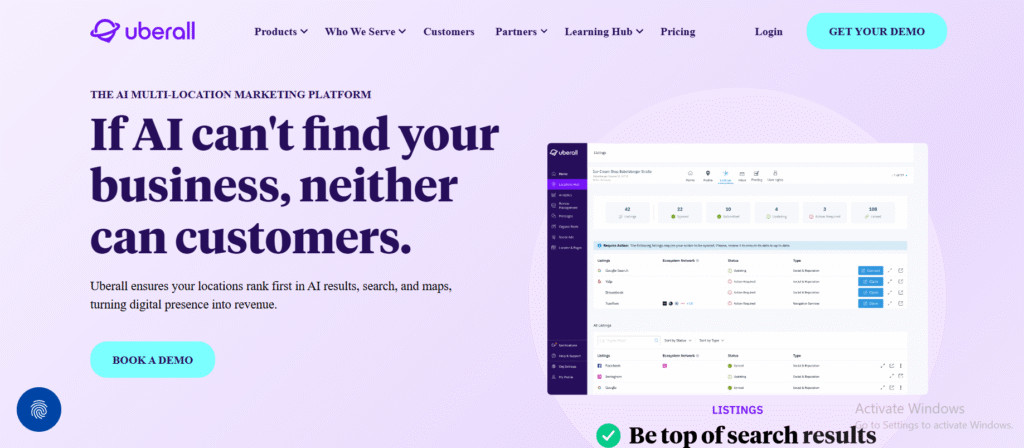
Uberall is a comprehensive platform designed to help multi-location enterprises manage local presence, listings, reputation, and engagement. It excels in creating a consistent brand experience across hundreds or thousands of locations, especially in regulated industries or franchises.
With strong global support and advanced analytics, Uberall simplifies local visibility management at scale while offering strong integrations and automation.
Key Features
Listings Management Across 125+ Directories
Uberall allows you to sync business data across a wide range of local directories, voice search platforms, GPS systems, and review sites. This ensures consistent NAP details and improves “near me” keyword rankings across all platforms.
Review Management & Sentiment Analysis
Uberall aggregates reviews from 50+ sources and provides AI-powered sentiment analysis, allowing businesses to monitor and respond across all locations efficiently. You can filter by region, star rating, or keyword to prioritize responses.
Location Pages & Locator Tools
With Uberall, you can build SEO-optimized location landing pages that connect to your main site. These help capture organic traffic from geographic search queries and improve visibility for long-tail “near me” keywords.
Social Posting Automation
Uberall lets you schedule posts to Google, Facebook, and Instagram across multiple locations. Ideal for brand-consistent marketing that feels local.
Pros & Cons Table
| Pros | Cons |
| Built for enterprise-scale use | Pricing not listed publicly |
| Deep review insights | Onboarding requires training |
| Location page creation | May be excessive for small teams |
| Centralized social posting | Custom pricing = less transparency |
Pricing
Uberall uses custom pricing based on the number of locations, desired features, and integrations. Expect entry points to begin around the mid-hundreds per month. Free trials are not advertised, but demos are available on request.
Best For Large Enterprises with 50+ Locations or Franchise Networks
Uberall is purpose-built for complex local SEO setups where control, scale, and consistency are critical.
- Enterprise Retail Brands – Maintain brand control while allowing local customization.
- Healthcare Networks – Keep doctor listings, hours, and service info consistent.
- Franchise Chains – Let franchisees localize content while HQ maintains brand data.
- Automotive Dealers – Improve visibility across dealerships in different regions.
- Multi-location Hospitality – Consistent presence across booking platforms and map apps.
Pro Tip: Use Uberall’s review sentiment filtering to spot recurring issues by region then train local teams accordingly for improved customer experience and higher ratings.
How to Use Uberall for Geo-Optimized Landing Pages
Build out dedicated landing pages for each store or service area using Uberall’s location page templates. Include schema markup, localized content, and internal linking to turn these into high-converting SEO assets.
Best Alternate Tool: Chatmeter
If you want similar multi-location control with a stronger focus on customer experience analytics, Chatmeter offers competitive features in review management, sentiment tracking, and location-level insights.
7.Synup – Listings & Analytics for Local Growth
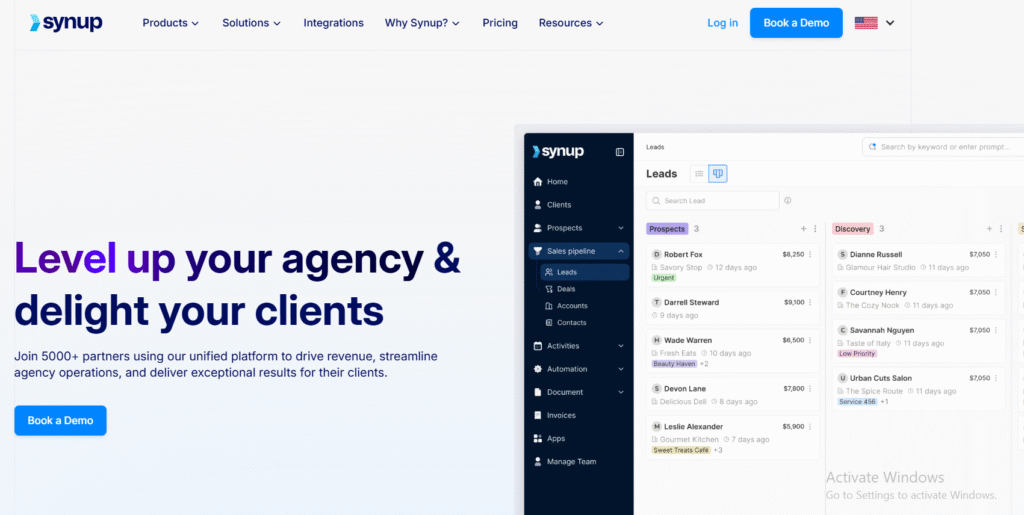
Synup is a location intelligence platform that helps businesses manage online listings, monitor reviews, and understand customer engagement at the local level. Designed for SMBs and agencies alike, Synup simplifies multi-platform data management and provides actionable insights for local search performance.
Its dashboard offers a clean overview of how each location is performing making it easier to tweak strategy by area, keyword, or directory presence.
Key Features
Centralized Listings Management
Synup enables you to publish and update your business information across 50+ directories with a single click. It automatically detects inconsistencies, corrects them, and prevents third-party overrides from corrupting your business data.
Review Aggregation & Sentiment Analytics
Monitor reviews across platforms like Google, Facebook, and Yelp. Sentiment analytics help you identify trends in customer feedback so you can prioritize improvements or marketing angles by location.
Local Performance Reports
Synup’s analytics feature gives you access to foot traffic trends, click activity, and direction requests. This helps businesses understand which locations are converting attention into physical visits.
Voice Search Readiness
Synup helps ensure your listings are optimized for voice assistants like Siri, Alexa, and Google Assistant. This is increasingly important with the growth in mobile + voice search queries.
Pros & Cons Table
| Pros | Cons |
| Strong multi-location tracking | Advanced features locked in tiers |
| Easy UI for small business owners | Some integrations limited |
| Built-in voice search prep | Support can be slow during onboarding |
| Good reporting features | Lacks GBP-specific features |
Pricing
Synup pricing is custom-based and generally starts around $30–$50/month per location, depending on volume and features required. Review and sentiment analysis tools may come under advanced tiers. A free trial is available on request.
Best For Small to Mid-Sized Businesses and Local-Focused Agencies
Synup strikes a balance between ease-of-use and functionality, making it ideal for businesses ready to move beyond spreadsheets and manual listing updates.
- Local Chains (10–50 locations) – Gain unified control over brand presence.
- Niche Agencies – Add white-label local SEO services for small business clients.
- Service Businesses – Highlight positive reviews and optimize listings in multiple zip codes.
- Health & Wellness Providers – Ensure local patients find the right contact info and hours.
- Real Estate Teams – Boost visibility across areas served with clean, consistent data.
Pro Tip: Activate Synup’s voice search readiness checker monthly to ensure your business is fully indexed by voice platforms—particularly useful for businesses in mobile-heavy niches.
How to Use Synup to Preempt Review Disasters
Use the sentiment trends to identify negative patterns before they escalate. If customers repeatedly mention slow service at a location, Synup alerts you giving time to intervene and prevent it from dragging down your rating average.
Best Alternate Tool: ReviewTrackers
If your primary focus is in-depth reputation management, ReviewTrackers offers stronger tools for tracking reviews across hundreds of sources, with added support for customer experience analytics.
8.Local Falcon – Grid-Based Rank Tracking for Google Maps
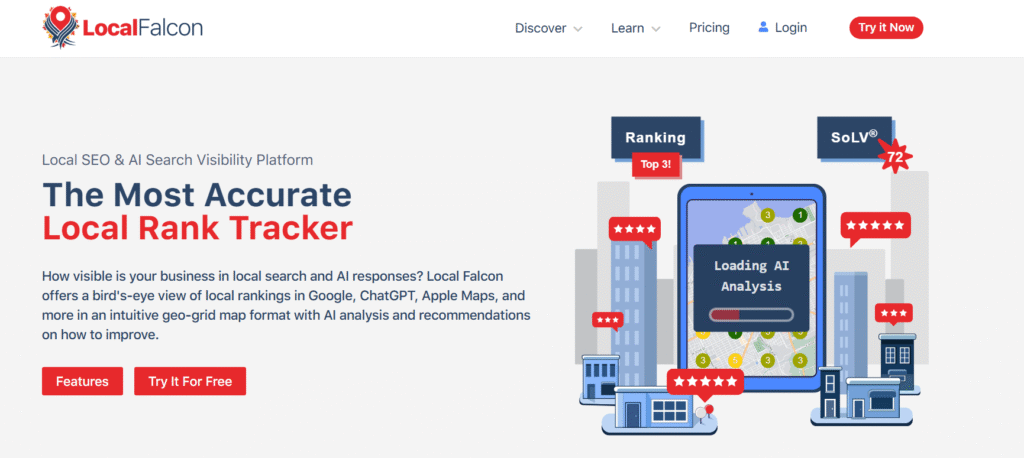
Local Falcon is a geo-grid rank tracking tool designed specifically for Google Business Profile (GBP) visibility. Unlike traditional SEO rank checkers, Local Falcon shows you exactly where your business ranks in different neighborhoods or zip codes.
It’s ideal for service-area businesses or local brands that want to pinpoint local search performance gaps and outperform competitors in specific geographic zones.
Key Features
Geo-Grid Rank Tracking
This is Local Falcon’s flagship feature. It maps your GBP rankings across a grid of GPS coordinates. See how your business performs at the street level, making it possible to fine-tune your SEO for neighborhood dominance.
Multi-Keyword Tracking
You can track multiple keywords per scan—useful for monitoring service-specific queries like “emergency plumber near me” or “dentist open now.” Overlay grids to compare keyword performance in different areas.
Competitor Overlay
See where competitors are outranking you on the map. Local Falcon visualizes who appears in the Map Pack at each point in the grid so you can dissect gaps and local algorithm shifts.
Scheduled Scans & History
Automate your scans to run weekly or monthly. You’ll get historical ranking heatmaps that let you compare how your local visibility evolves over time.
Pros & Cons Table
| Pros | Cons |
| Hyperlocal keyword visibility | No citation management features |
| Great for multi-location insights | Limited integration options |
| Visual competitor benchmarking | Review tracking not included |
| Easy-to-read grid maps | Manual keyword/project setup |
Pricing
Local Falcon pricing starts at $24/month for 10 scan credits. Plans scale up based on number of locations, keywords, and scan frequency. There is a free trial with limited scan capabilities to test the grid system.
Best For Businesses That Want Hyperlocal SERP Tracking
Local Falcon is custom-made for Google Map Pack optimization, not general SEO tracking. It’s most useful for identifying precise ranking weak spots.
- SEO Consultants – Show clients visual proof of local ranking gains.
- Multi-location Brands – Track which outlets are slipping in visibility.
- Home Services – Target weak neighborhoods with GBP-specific tactics.
- Franchises – Compare performance across zip codes to diagnose issues.
- Local Ads Specialists – Combine with PPC campaigns to validate offline lift.
Pro Tip: Use competitor overlays to map out which businesses consistently rank in zones where you don’t and then reverse-engineer their listings, categories, and reviews for strategic gains.
How to Use Local Falcon for Geo-Fencing SEO Campaigns
Identify weak-ranking grid points and build custom local landing pages optimized for those coordinates. Then monitor the rank lift on Local Falcon over 30-60 days to confirm page impact.
Best Alternate Tool: GeoRanker
GeoRanker offers city-level rank tracking and heatmaps like Local Falcon, but includes additional tools like citation audits and keyword research, making it more of a multi-function platform.
9.GeoRanker – Heatmap Rankings & Local Citation Insights
GeoRanker is a local SEO analysis tool designed to help businesses and agencies visualize keyword rankings, audit citations, and track performance by location. It excels in providing real-time heatmaps of your search visibility across cities, regions, or even at street level.
This platform is best suited for agencies, enterprises, or SEO pros looking to manage multi-location strategies and uncover local SEO blind spots.
Key Features
Local Rank Heatmaps
GeoRanker’s visual maps show where your keywords rank across neighborhoods, districts, and cities. These heatmaps make it easier to prioritize which areas need SEO attention, especially for “near me” and mobile-first searches.
Citation Audit Reports
GeoRanker scans hundreds of citation sources to find inconsistencies or missing listings. You can then generate reports to clean and build citation authority in underperforming locations.
Mobile vs Desktop Tracking
See how your keywords rank differently on mobile and desktop across regions. This feature is vital as mobile dominates local searches and often shows different results than desktop SERPs.
Competitor Keyword Maps
Overlay your competitors’ rankings across heatmaps to identify their geographic strongholds. Great for local SEO campaigns focused on expansion or defense.
Pros & Cons Table
| Pros | Cons |
| Strong citation audit tools | UX can be clunky for new users |
| Clear visual rank reports | Pricing is on the higher end |
| Good for enterprise/local agencies | Limited review monitoring |
| Mobile-first SERP insights | Data-heavy interface requires setup |
Pricing
GeoRanker plans start at $99/month, including keyword heatmaps, citation audit, and competitor overlays. Premium tiers offer API access and white-label reporting. A limited free trial is available with restricted features.
Best For SEO Agencies and Regional Brands with Data-Heavy Campaigns
GeoRanker is built for those who thrive on visual data and layered analysis. It’s especially helpful for agencies managing multiple clients across territories.
- Advanced SEOs – Run granular analysis by device, keyword, and GPS coordinates.
- Multi-location Retail Chains – Monitor visibility gaps by ZIP or borough.
- Niche Agencies – Deliver visual ranking insights to clients.
- Automotive Dealerships – Localize efforts by neighborhood competition.
- Reputation Managers – Audit local presence in tandem with brand mentions.
Pro Tip: Combine GeoRanker’s mobile-first SERP data with your Google Ads location reports to identify where SEO and PPC efforts are overlapping—or conflicting.
How to Use GeoRanker to Uncover SEO Blind Spots
Run quarterly citation audits and ranking heatmaps across your service zones. Then use the visual data to plan content silos, GBP posts, or NAP cleanup where coverage is thinnest.
Best Alternate Tool: Local Falcon
If you want simpler, more visual-only grid-based tracking without citation reporting, Local Falcon is a lighter and more budget-friendly option.
10.ReviewTrackers – Review Monitoring Built for Reputation Management
ReviewTrackers is a review aggregation and customer feedback tool tailored for businesses that prioritize online reputation, customer sentiment, and brand experience. It helps you monitor, analyze, and respond to reviews from 100+ sources, all from a single dashboard.
This tool is ideal for multi-location businesses, reputation managers, and franchise networks where consistent review oversight is critical to maintaining trust and visibility in local search results.
Key Features
Multi-Site Review Monitoring
ReviewTrackers consolidates reviews from platforms like Google, Facebook, Yelp, TripAdvisor, and more. It provides real-time alerts so your team can respond quickly and maintain public trust.
Sentiment Analysis & Trend Reporting
Their analytics suite breaks down positive vs. negative sentiment, common phrases, and review velocity over time. This lets you spot service breakdowns or emerging customer pain points by location.
Custom Response Templates
You can create pre-approved response templates for different review types and platforms. This helps franchises or large businesses respond quickly without sounding robotic—or violating brand tone.
User Role Management
Assign permissions based on role or location, making it easier to scale review management across multiple branches or regions while maintaining oversight and consistency.
Pros & Cons Table
| Pros | Cons |
| Excellent review aggregation | No local SEO features outside reviews |
| Sentiment and trend analytics | Lacks citation or GBP tools |
| Scales well for enterprise use | Higher cost compared to SMB tools |
| Supports 100+ review sources | Not designed for solo businesses |
Pricing
ReviewTrackers operates on a custom pricing model. Pricing typically starts around $59–$80/month per location, with enterprise features available for larger setups. Free trials are available upon request.
Best For Brands Where Reviews Directly Impact Conversions
If your business relies heavily on word-of-mouth, reputation, or industry trust, ReviewTrackers gives you the tools to stay ahead of negative feedback and amplify positive experiences.
- Hospitality Brands – Stay on top of reputation in a review-sensitive industry.
- Healthcare Networks – Monitor patient reviews across all provider profiles.
- Multi-Unit Retailers – Centralize customer feedback and response.
- Local Chains – Track review trends across different areas or locations.
- Reputation Consultants – Deliver detailed review audits for clients.
Pro Tip: Use trend reports to identify frequently used review phrases—then plug those into your GBP Q&A section and website FAQ to improve local relevance and user trust.
How to Use ReviewTrackers for GBP CTR Improvements
Monitor recurring 4- and 5-star keywords in positive reviews. Highlight these attributes in your GBP description and service attributes to improve relevance for search queries and click-through rate on your map listings.
Best Alternate Tool: Birdeye
If you’re looking for review monitoring with built-in lead gen, surveys, and messaging tools, Birdeye expands on what ReviewTrackers offers especially if you want to automate customer engagement too.
11.Birdeye – Reputation, Messaging, and Local SEO in One
Birdeye is an all-in-one customer experience platform built to support local reputation management, review generation, messaging, and listings. It’s used by 100,000+ businesses across healthcare, legal, home services, and retail making it one of the most robust tools in the local SEO ecosystem.
What sets Birdeye apart is how it ties reviews, conversations, and business listings into one platform, giving you control over both visibility and customer engagement.
Key Features
Review Generation & Monitoring
Birdeye helps you collect reviews via text, email, and QR codes, then aggregates them from 200+ sites. This allows you to boost social proof while staying informed across all platforms.
Listings Management
Update your NAP details, hours, and attributes across 50+ directories. Birdeye pushes your updates automatically and ensures accurate citations supporting both SEO and customer trust.
Unified Inbox for Messaging
Manage text messages, website chat, Facebook messages, and Google Business Messages from one place. This helps convert web visitors into leads by reducing response time and avoiding lost messages.
AI-Powered Insights & Reporting
Birdeye’s analytics break down reviews, customer sentiment, and engagement by location. Use this to benchmark performance across franchises or departments.
Pros & Cons Table
| Pros | Cons |
| All-in-one for reviews + messaging | Complex setup for new users |
| Great for review solicitation | Higher pricing tiers for full access |
| Excellent local business focus | Messaging features can overwhelm |
| Supports GBP messaging | Some plans require long-term deals |
Pricing
Birdeye pricing is custom-quoted and typically starts around $99/month per location, depending on features like review campaigns, chat, or listings. Larger businesses with more locations may get volume-based discounts.
Best For Businesses That Want Reviews + Customer Messaging in One Platform
Birdeye is best for companies that want to integrate SEO with real-time communication and reputation growth.
- Dental and Medical Offices – Gather patient reviews and send appointment reminders.
- Home Services – Convert site visitors into leads via web chat and review flows.
- Multi-location Law Firms – Consolidate feedback and improve NAP accuracy.
- Retail Chains – Manage foot traffic, questions, and reviews from a single dashboard.
- Franchises – Standardize brand reputation and communication across all outlets.
Pro Tip: Use Birdeye’s Google Messaging integration to instantly respond to GBP messages from your inbox—improving response rate and pushing up your local engagement score.
How to Use Birdeye for Review Velocity Boosts
Set up automated post-service review texts or emails using Birdeye’s triggers. Time them right after a successful customer interaction, and you’ll see review volume increase which Google considers a trust signal for local rankings.
Best Alternate Tool: Reputation.com
If you’re managing reviews at an enterprise level and want audit trails, compliance tools, and AI-generated reports, Reputation.com may be a better fit for regulated industries or Fortune 500 brands.
12.Reputation.com – Enterprise-Grade Reputation Management for Local SEO
Reputation.com is a powerhouse platform designed for large enterprises and regulated industries that require robust tools for review management, listings accuracy, and customer experience analytics. It’s trusted by banks, hospital networks, auto groups, and franchise giants to manage everything from local SEO to legal compliance.
If you’re managing hundreds or thousands of locations, Reputation.com delivers the oversight, automation, and insights necessary to keep your brand strong at the local level.
Key Features
Review Monitoring & Response Workflows
Track and respond to reviews from 200+ platforms in one interface. Create custom workflows, assign review replies, and track resolution across teams especially valuable in high-volume or compliance-heavy sectors.
Listings Management with Real-Time Sync
Automatically update your location data across all major platforms. Reputation.com ensures 100% NAP consistency, supporting your GBP visibility and reducing friction for customers finding your services.
Competitive Benchmarking & Reputation Score
Get access to a Reputation Score, which factors in review volume, recency, sentiment, and response rate. Compare your locations against competitors by market, keyword, or industry.
Natural Language Processing (NLP) Sentiment Analytics
Reputation.com’s AI engine identifies review trends, flags recurring issues, and helps you correlate reviews to operational KPIs ideal for large businesses aiming to improve service at scale.
Pros & Cons Table
| Pros | Cons |
| Built for complex orgs | Not ideal for small businesses |
| AI-powered sentiment engine | Expensive for single-location setups |
| Strong analytics & benchmarking | Requires dedicated onboarding |
| Workflow and compliance features | Feature overload for smaller teams |
Pricing
Reputation.com uses enterprise-level pricing based on location count, features, and user seats. Expect minimum pricing in the $300–$500/month range per location, with full access requiring customized contracts.
Best For Fortune 1000 Brands and Regulated Industries
This platform is purpose-built for scale, legal compliance, and reputation automation.
- Hospital Networks – Track patient sentiment, ensure provider listings are accurate.
- Automotive Groups – Monitor and compare dealer ratings by city or region.
- National Franchises – Standardize reputation efforts while allowing local customization.
- Banks & Insurance Firms – Comply with data security while managing feedback.
- Enterprise CX Teams – Correlate reviews with NPS, CSAT, or retention metrics.
Pro Tip: Use Reputation.com’s integration with call center and CRM systems to cross-reference review patterns with service quality metrics helping preempt PR issues before they escalate.
How to Use Reputation.com to Train Regional Teams
Use the Review Trends Dashboard to identify common pain points in specific locations (e.g., long wait times). Share this data with area managers, and build training modules around the most frequent complaints to improve customer experience KPIs.
Best Alternate Tool: Chatmeter
If you’re looking for multi-location support with lighter onboarding, Chatmeter gives you visibility, review tracking, and insights while being slightly more approachable for mid-sized brands.
13.Chatmeter – Location Intelligence for Brands with 10+ Locations
Chatmeter is a location marketing and brand intelligence platform built for businesses managing multiple branches or service areas. It offers tools for review monitoring, local SEO, sentiment analysis, and competitive benchmarking in one dashboard.
Used by healthcare systems, restaurant chains, and retail networks, Chatmeter helps local teams and corporate leadership align on visibility and brand consistency at scale.
Key Features
Local Brand Visibility Score
Chatmeter generates a proprietary Visibility Score for each location, based on listings accuracy, review volume, sentiment, and response behavior. This lets you track which stores or branches are outperforming or lagging behind.
Review Monitoring with NLP
The review monitoring dashboard supports sentiment analysis using natural language processing, highlighting trends and pinpointing issues like staff mentions, wait times, or service complaints.
Listings Accuracy Management
Sync your business data to 80+ directories with bulk editing and instant publishing. This is key for brands needing consistent information across franchises or city branches.
Local Pages + Locator Integration
Create scalable SEO-optimized landing pages for each location, with schema markup and unique content blocks. These help target zip-code-level queries and convert searchers into customers.
Pros & Cons Table
| Pros | Cons |
| Visual analytics for multiple teams | Can be complex for first-time users |
| Scalable page creation | Review tools not as advanced as others |
| Good balance of SEO + CX insights | Geo-tracking less detailed than others |
| Great support for regional teams | High setup time for large accounts |
Pricing
Chatmeter pricing is custom-based, generally starting at $200–$400/month per location, depending on your feature set. Demos and pilot programs are available upon request.
Best For Regional Chains and Brands Focused on Customer Experience + SEO
Chatmeter serves businesses that want both visibility and sentiment insights across many branches without getting lost in complex dashboards.
- Healthcare Networks – Manage listings and track patient feedback by clinic.
- Restaurants & QSRs – Spot service trends across territories and sync listings.
- Retail Brands – Monitor how sentiment changes across product launches or regions.
- Local Franchises – Offer franchisees insights while HQ controls brand voice.
- Multi-City Agencies – Provide clients a snapshot of visibility, sentiment, and citations.
Pro Tip: Use Chatmeter’s alerts to set sentiment score thresholds for automatic notifications so marketing or regional managers are looped in instantly when a location starts trending negative.
How to Use Chatmeter to Improve Brand Consistency
Run a Visibility Score audit across all branches quarterly. Identify locations with low scores and assign remediation tasks such as updating GBP hours, correcting citations, or responding to reviews to regional managers using Chatmeter’s tasking system.
Best Alternate Tool: Uberall
If you need deeper location page customization and a stronger international footprint, Uberall offers global-scale listing and reputation tools tailored for large retail and service brands.
14.Leadferno – Turn Local Web Traffic into SMS Leads
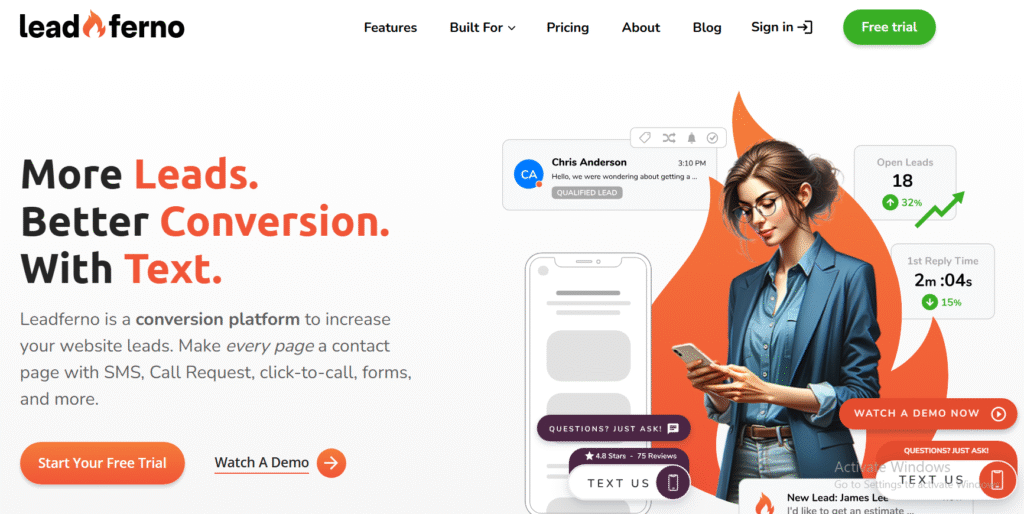
Leadferno is a conversion-focused tool designed to help local businesses capture leads via text messaging. It enables website visitors to start conversations via SMS, Google Business Messages, or Facebook Messenger, increasing conversion rates and engagement especially for service-based businesses.
Where most local SEO tools stop at listings and reviews, Leadferno picks up the slack by turning search visibility into actual customer conversations.
Key Features
Text-to-Lead Web Widget
Leadferno installs a web-based call-to-action that lets visitors start a conversation instantly via SMS. You can customize the prompt to say things like “Text Us for a Free Quote” or “Got Questions? Text Now.”
Google Business Messages Integration
When customers message your GBP profile, those conversations are routed into Leadferno’s dashboard alongside texts and web chat keeping all leads in one place.
Message Templates & Autoresponders
Use pre-written responses for common questions, appointment confirmations, or pricing inquiries. This shortens response time and improves lead conversion.
Team Inbox & Routing
Assign incoming messages to specific staff or departments. Ideal for businesses with different service offerings or multiple locations managing leads independently.
Pros & Cons Table
| Pros | Cons |
| Fast setup and low learning curve | No citation or review features |
| Increases lead conversion | Requires SMS setup for full use |
| Google & Facebook integration | Doesn’t track SEO rankings |
| Great for mobile-first users | No rank tracking or keyword tools |
Pricing
Leadferno starts at $50/month per location, which includes the web-to-text widget, messaging inbox, and integrations. There’s a free trial available, and additional users or features (like multi-location routing) may increase the cost.
Best For Service Businesses Needing Local Lead Conversions
Leadferno is perfect for businesses where a fast response turns a searcher into a sale.
- HVAC Companies – Turn “near me” traffic into booked estimates via SMS.
- Plumbers & Electricians – Offer quick quotes and job confirmations via text.
- Law Firms & Consultants – Let clients book consultations with minimal friction.
- Real Estate Teams – Answer property inquiries instantly and funnel to agents.
- Local Medical Practices – Manage appointment requests and pre-visit questions.
Pro Tip: Use Leadferno’s auto-reply with estimated response time during off-hours. This keeps the lead warm and builds trust without making them wait in the dark.
How to Use Leadferno to Capture GBP Leads
Set up your GBP profile to enable Google Business Messages. Then use Leadferno to route those messages directly to your phone or CRM, ensuring you never miss a local lead who clicked “Message” instead of “Call.”
Best Alternate Tool: Birdeye
If you’re looking for messaging + reviews + listings in one suite, Birdeye builds on what Leadferno offers with broader capabilities but also more complexity and cost.
15.Surfer Local – On-Page SEO for Local Service Pages
Surfer Local is part of the Surfer SEO family and focuses exclusively on on-page optimization for local landing pages. If you’re building city- or service-specific pages for local keywords, this tool tells you exactly what content, keywords, and structure you need to improve rankings.
While it doesn’t handle citations or reviews, Surfer Local excels in content-level SEO, offering laser-targeted guidance based on competitors in your specific geography.
Key Features
Local SERP Analyzer
Enter your keyword and location, and Surfer Local analyzes the top-ranking pages in that market. It returns a blueprint for your own page including word count, keyword usage, internal link opportunities, and heading structure.
Keyword Density Checker
Surfer Local shows how often your competitors use target phrases and LSI terms. You can then adjust your content in real-time using Surfer’s editor to mirror what’s working locally.
Content Planner for Local Pages
This tool helps generate content ideas based on local queries, letting you build topical authority in your niche and region. Perfect for multi-location SEO campaigns.
Location-Specific Recommendations
The SEO audit adapts to Google results in your target area, ensuring that you’re not blindly applying global best practices to a local SERP environment.
Pros & Cons Table
| Pros | Cons |
| Hyper-targeted local page audits | Doesn’t handle citations or GBP |
| Great for on-page SEO specialists | No rank tracking |
| Works well with Surfer ecosystem | Not ideal for beginners |
| Supports multiple geo-modifiers | Lacks listings or review tools |
Pricing
Surfer Local is available as part of the Surfer platform or as a standalone product. Plans start at $29/month per location. You’ll need a Surfer SEO account for full access to the content editor and integrations.
Best For SEOs Focused on Local Landing Page Optimization
Surfer Local is perfect for technical content writers and SEO specialists trying to build city-specific landing pages that actually rank.
- Niche SEO Consultants – Create localized content outlines for clients by ZIP code.
- Multi-Location SMBs – Build pages that target each service area with precision.
- Content Agencies – Scale local SEO pages using competitor-informed data.
- Freelance Writers – Use insights to write GBP-supportive local content.
- Marketing Managers – Fine-tune each city page for performance, not guesswork.
Pro Tip: Use Surfer Local in tandem with your GBP strategy optimize content for your service area, then embed your Google Map location and reviews for trust-building.
How to Use Surfer Local for Suburb SEO
Instead of optimizing for “Service in City,” run Surfer Local scans for suburbs, districts, or neighborhoods where competition is lower. Target these with dedicated pages and include hyperlocal schema for maximum visibility.
Best Alternate Tool: GMB Everywhere
If you want on-page tips directly inside your browser for GBP listings and competitors, GMB Everywhere offers quick insights, though it lacks Surfer’s content depth.
16.GMB Everywhere – Chrome Extension for GBP Insights & Competitor Analysis
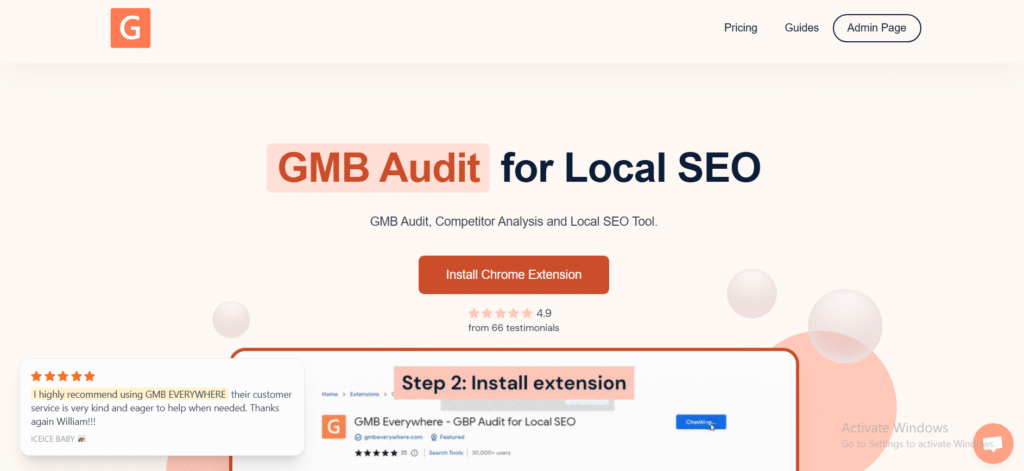
GMB Everywhere is a browser extension that offers on-the-spot insights for Google Business Profiles (GBP). It’s designed for local SEOs, consultants, and agencies who want to audit, compare, and reverse-engineer competitors’ GBP data quickly without jumping between tools or dashboards.
This tool doesn’t manage listings or reviews but shines as a tactical add-on for competitive research, local category planning, and GBP optimization.
Key Features
GBP Audit Overlay
When browsing local search results, GMB Everywhere overlays key metrics like category selection, review count, post activity, and last update date. This allows you to identify which GBP fields are most influencing rankings in your niche.
Review Word Cloud
Analyze customer reviews from any GBP to extract frequently used phrases, helping you understand customer sentiment and tailor your service descriptions accordingly.
Post Frequency Checker
See how often a business publishes posts to GBP and what type they use (offers, updates, events). This gives you a model to follow or outperform.
Category Suggestion Tool
Unsure which categories to choose? GMB Everywhere offers primary and secondary category suggestions based on your competitors’ profiles and search performance.
Pros & Cons Table
| Pros | Cons |
| Real-time competitor insights | No dashboard or reporting features |
| Fast GBP audit with 1-click access | Doesn’t track rankings |
| Helpful for post and category strategy | No review management or citation tools |
| Very affordable | Limited to browser usage |
Pricing
GMB Everywhere offers a free version with limited features. Paid plans start at $20/month, which unlocks advanced audit insights, competitor tracking, and unlimited usage. It’s a low-cost way to gain tactical GBP insights without committing to a full suite.
Best For Local SEOs Doing Quick Competitive Audits
GMB Everywhere is best used as a browser-based research tool for hands-on practitioners looking to gather GBP data rapidly.
- Freelance SEOs – Evaluate competitor listings on the fly during audits.
- Local Marketing Consultants – Analyze GBP fields that impact rank.
- Small Agencies – Use for client onboarding insights and initial discovery.
- GBP Managers – Identify when competitors are using photos, posts, and Q&A better.
- Citation Specialists – Cross-reference GBP category consistency with directories.
Pro Tip: Use the post activity checker to plan your own GBP post schedule match or exceed your top competitors in post volume and variety to gain micro-engagement signals.
How to Use GMB Everywhere for Niche Research
Install the extension and run a search like “chiropractor near me.” Check the top 5 results’ categories, services, and review sentiment, then replicate what works without overstuffing. Focus on review phrases that align with your business to update your service descriptions or Q&A section.
Best Alternate Tool: Surfer Local
If you want on-page SEO recommendations beyond GBP, Surfer Local offers deep optimization suggestions, while GMB Everywhere focuses only on profile insights.
17.Local Viking – GeoGrid Tracking, GBP Scheduling, and Multi-Location Management
Local Viking is a specialized local SEO tool focused on GBP scheduling, rank tracking, and automation. Built for agencies and power users, it combines GeoGrid visualizations, post scheduling, and multi-location control, making it ideal for those looking to automate and scale GBP management.
If you’re tired of logging into dozens of Google accounts just to update business profiles, Local Viking saves hours of work and gives you geo-specific insights in the process.
Key Features
GeoGrid Rank Tracking
Local Viking’s grid-based rank tracker visualizes your business’s placement for specific keywords across a map giving you hyper-local insights into what ZIP codes or blocks need SEO attention.
Scheduled Google Posts
Create and schedule posts for multiple GBP listings. You can set up recurring events, updates, or promotions that auto-publish across profiles. Ideal for agencies or franchises with campaigns running across locations.
Image Optimization & EXIF Injection
Upload images to your GBP with geo-tagged EXIF data to send local relevance signals to Google. This helps improve map pack rankings and image engagement.
Review Monitoring & Responses
While not as advanced as dedicated reputation platforms, Local Viking offers basic review monitoring and lets you respond directly from the dashboard.
Pros & Cons Table
| Pros | Cons |
| Designed specifically for GBP | Doesn’t manage citations |
| GeoGrid tracker with high precision | UI is function-first, not flashy |
| Multi-location automation | Not beginner-friendly |
| EXIF geo-tagging adds local signals | No mobile app |
Pricing
Local Viking starts at $49/month for a base plan that includes GeoGrid tracking and basic GBP management. Higher tiers add multi-location scheduling, image optimization, and more GeoGrid credits. A free trial is available, often limited to one location.
Best For Agencies & SEOs Automating GBP Management Across Many Listings
Local Viking is built for marketers managing dozens or hundreds of GBP profiles, with deep automation and granular location insights.
- Local SEO Agencies – Automate GBP posting, image updates, and rank tracking.
- Franchises – Keep GBP listings active with consistent post scheduling.
- GBP Consultants – Monitor visibility and send proof-of-performance to clients.
- Hyperlocal Businesses – See exactly where you’re ranking and where you’re not.
- Field Service Companies – Track neighborhood visibility for targeted outreach.
Pro Tip: Combine EXIF geo-tagged images with scheduled GBP posts to improve relevancy for service-specific queries like “roof repair near me.”
How to Use Local Viking to Run Local SEO Sprints
Use GeoGrid scans to find weak zones, then schedule 2–3 weeks of GBP posts and geo-tagged photos targeting those areas. Run another scan after 30 days to track ranking improvements, adjusting content or categories based on performance.
Best Alternate Tool: Places Scout
If you want a broader feature set including citation audits, heatmaps, and competitor tracking, Places Scout offers more data but with a steeper price and learning curve.
18.ReviewPush – Simplified Review Aggregation for Local Businesses
ReviewPush is a streamlined review management tool designed for local businesses and franchises that want to monitor, respond to, and report on customer reviews across key platforms. It’s not loaded with flashy features but it gets the core job done efficiently, especially for small to mid-sized multi-location setups.
If you’re looking for a no-frills way to stay on top of reviews and maintain a positive brand image, ReviewPush keeps everything in one easy-to-use place.
Key Features
Multi-Platform Review Aggregation
ReviewPush pulls reviews from Google, Facebook, Yelp, and more into a centralized dashboard. It alerts you to new reviews instantly, helping you respond quickly and prevent negative sentiment from snowballing.
Location-Level Monitoring
You can monitor and compare reviews by location, making it ideal for franchises or chains looking to benchmark branches and assign accountability.
Email Alerts & Auto-Routing
Customizable email alerts and ticketing workflows let you route reviews to specific staff members or departments. This improves response time and allows teams to address customer concerns quickly.
Review Reporting & Trends
Track review count, average rating, and sentiment over time. Great for monthly performance snapshots, internal reporting, or client-facing summaries.
Pros & Cons Table
| Pros | Cons |
| Simple and affordable | No listings or GBP features |
| Easy location-level insights | Doesn’t offer sentiment analysis |
| Email-based alerts keep it simple | Lacks in-depth integrations |
| No long learning curve | Not ideal for large enterprises |
Pricing
ReviewPush starts at $29/month per location, with no contracts or setup fees. You can also get a free trial to explore core functionality. Higher tiers offer custom reports and volume discounts for franchises.
Best For Local Business Owners or Small Chains Needing Basic Review Oversight
ReviewPush is ideal for businesses that want just the essentials when it comes to review monitoring without the bulk or expense of enterprise platforms.
- Independent Retail Stores – Monitor brand mentions and resolve complaints easily.
- Multi-Location Service Companies – Compare review trends by branch or market.
- Small Agencies – Offer review monitoring as a white-label service.
- Hospitality Providers – Stay responsive to guest feedback across locations.
- Local Clinics & Dental Practices – Track and improve patient experience over time.
Pro Tip: Use ReviewPush’s ticket routing to assign negative reviews to managers for follow-up. Over time, this accountability loop improves ratings and operational awareness.
How to Use ReviewPush for Local SEO Gains
Track which location pages or GBPs are generating the highest volume of 5-star reviews, and highlight those reviews on local landing pages to increase social proof and CTR from “near me” searches.
Best Alternate Tool: ReviewTrackers
If you’re scaling and need sentiment analysis, role-based permissions, and deeper analytics, ReviewTrackers adds more firepower especially for growing brands or agencies.
19.Places Scout – Full-Spectrum Local SEO Toolkit for Agencies
Places Scout is a high-end, all-in-one local SEO platform built for professionals who need detailed citation auditing, rank tracking, competitive research, and review monitoring in a single system. It’s used by serious local SEOs, consultants, and agencies who want complete control over every local ranking factor.
While it comes with a steeper learning curve and price tag, it’s one of the most comprehensive solutions for deep local SEO diagnostics and performance tracking.
Key Features
Citation Auditing & Tracking
Places Scout conducts automated citation audits and identifies NAP inconsistencies across major directories. You can monitor your own citations, your competitors’, and even prioritize corrections based on authority.
GeoGrid & Local Pack Rank Tracking
Get grid-based visibility tracking on Google Maps and SERPs by city, zip code, or radius. Monitor where your business appears in the Map Pack and how changes affect location-based rankings.
Review Aggregation & Alerts
Track reviews across 100+ platforms. Places Scout provides a dashboard with review velocity, average ratings, and trends ideal for agency reporting or franchise health metrics.
Competitor Research Toolkit
Spy on local competitors’ citations, keyword rankings, and review volume, then benchmark your progress against theirs. Helps build smarter local campaigns based on market gaps.
Pros & Cons Table
| Pros | Cons |
| Very comprehensive feature set | Expensive compared to others |
| Great for agencies and advanced SEOs | Steep learning curve |
| Excellent citation and rank data | UI is dense and not for casual users |
| Strong competitor intelligence tools | May be overkill for small businesses |
Pricing
Places Scout starts at $299/month, which includes all major tools GeoGrid scans, citation audits, review tracking, and more. Pricing scales with usage (number of scans, locations, etc.). There’s no free trial, but demo access is available upon request.
Best For Agencies & Technical SEOs Who Need Advanced Local Insights
If you’re managing complex local SEO campaigns or handling multiple clients, Places Scout gives you enterprise-grade visibility into every SEO variable that matters.
- Local SEO Agencies – Deliver audit-level insights across GBP, citations, and SERPs.
- Franchise Consultants – Benchmark locations, identify laggards, and plan corrective actions.
- Lead Gen Companies – Validate local rankings across dozens of zip codes.
- Digital Marketing Teams – Tie together listings, reviews, and local pack visibility.
- SERP Analysts – Map keyword clusters to specific geo-coordinates and build strategies.
Pro Tip: Use Places Scout’s competitor tools to create “Local SEO Battlecards” quick-reference documents that compare citation authority, review volume, and ranking position per ZIP code.
How to Use Places Scout to Build Local SEO Dashboards
Combine your GeoGrid reports, review trends, and citation audit results into a recurring dashboard. Share this with stakeholders to show performance wins, areas for improvement, and planned action perfect for monthly SEO reviews.
Best Alternate Tool: BrightLocal
If you’re looking for a more user-friendly, agency-focused tool with lighter pricing and white-label reporting, BrightLocal covers most local SEO essentials without the enterprise learning curve.
20.Alignable – B2B Local Networking & Referral Platform
Alignable is a community-driven platform designed to help local small businesses connect, refer, and grow through B2B networking. While not a traditional SEO tool, it plays a powerful supporting role by building hyperlocal relevance and referral traffic which indirectly fuels local rankings and trust.
It’s especially useful for solo business owners and service providers who rely on word-of-mouth and peer trust to grow their client base.
Key Features
Business Profile Optimization
Alignable lets you create a searchable local profile with business details, customer recommendations, service areas, and keywords. This helps you rank inside Alignable’s internal directory and get found by nearby businesses.
Referral Requests & Testimonials
You can ask for and give referrals and recommendations, boosting your social proof. Google crawls these pages, and testimonials often appear in long-tail branded searches.
B2B Community Forums
Engage with your local small business community through posts, Q&A, and shared content, helping build local authority and brand familiarity among decision-makers.
Local Leaderboard & Visibility Boosts
Gain exposure by participating consistently Alignable rewards active members with higher visibility on the platform and local leaderboards, indirectly increasing your referral network.
Pros & Cons Table
| Pros | Cons |
| Free or low-cost entry | Not built for SEO directly |
| Great for relationship marketing | No listing or review tools |
| Increases branded searches | Local visibility depends on activity |
| High trust in small business circles | Limited analytics or tracking |
Pricing
Alignable offers a free plan with core networking features. Paid plans start at $40/month, offering Premium placement, messaging boosts, and visibility to broader zip codes or categories.
Best For Local Business Owners Seeking Referrals and Peer Networking
Alignable is perfect for relationship-first marketers who want to build local trust, get more direct referrals, and increase brand mentions that support SEO.
- Independent Contractors – Build trust among local vendors and freelancers.
- Consultants & Coaches – Get direct intros to business owners who need your service.
- Local Retail Shops – Partner with nearby businesses for cross-promotions.
- Home Service Providers – Establish referral chains with realtors or contractors.
- Legal & Financial Pros – Build long-term trust through B2B community engagement.
Pro Tip: Use Alignable to get authentic, keyword-rich testimonials from fellow businesses. Add them to your website and GBP Q&A section to improve trust signals and long-tail SEO visibility.
How to Use Alignable to Build Citations and Local Links
Your Alignable profile is a branded citation make sure your NAP details exactly match your Google Business Profile. Use posts and replies to drop links to your location pages, events, or services in natural, helpful ways.
Best Alternate Tool: LinkedIn Local Pages
If you’re more active in B2B consulting or SaaS, LinkedIn’s local business pages and community features offer broader reach, although with less hyperlocal focus than Alignable.
Why These 20 Local SEO Tools Matter
If your business depends on location-based traffic, then ranking in “near me” searches isn’t optional it’s essential. The tools we covered help with every stage of the local SEO process: from building citations and monitoring reviews to tracking geo-specific rankings and optimizing GBP listings.
Each platform offers a unique advantage depending on your business type, size, and SEO maturity. Whether you’re a solo operator needing quick review insights, or a marketing team managing 500 locations, there’s a tool on this list that fits.
Pick the one that matches your current local SEO pain point, test it this week, and track the difference in your map pack visibility and customer flow.
How Pearl Lemon Can Support Your Local SEO Strategy
At Pearl Lemon, we’ve worked with businesses across retail, home services, healthcare, and hospitality to drive local search rankings, foot traffic, and real-world conversions.
We combine tools like BrightLocal, Local Viking, and Places Scout with our proprietary processes to deliver real results faster.
Whether you’re trying to:
- Rank in the 3-pack in five cities
- Clean up outdated citations
- Build GBP pages from scratch
- Generate review campaigns that actually get responses
- Analyze what your top competitors are doing locally
We handle it.
Schedule a consultation with us today and let’s map out a local SEO strategy that increases calls, bookings, and sales in your service area.
Frequently Asked Questions
1.What’s the fastest way to rank in “near me” searches?
Start by optimizing your Google Business Profile, building citations, and collecting real reviews. Tools like BrightLocal and Whitespark make this process faster.
2.Do I need all 20 tools?
No. Most businesses need just 2–3 tools depending on their goals typically one for listings, one for reviews, and one for rank tracking.
3.How do citations affect local SEO?
Citations help Google verify your business’s legitimacy. Accurate and consistent NAP info across directories is a ranking signal for the local algorithm.
4.What is a GeoGrid?
A GeoGrid visually shows your Google Maps rankings in a grid across ZIP codes or coordinates. Tools like Local Falcon and Places Scout specialize in this.
5.Can I automate GBP posts?
Yes. Tools like Local Viking and Uberall let you schedule posts across multiple profiles, helping you stay active without manual effort.
6.What’s the best tool for review generation?
Birdeye is best for automated review collection via SMS and email. It also supports messaging, which adds lead gen value.
7.Should I use paid tools if I only have one location?
Absolutely. Even solo businesses benefit from tools like Moz Local or GMB Everywhere, which offer low-cost visibility and optimization features.
8.How often should I run a local SEO audit?
Quarterly at minimum. Tools like BrightLocal and Semrush Local can automate reports so you don’t miss shifts in visibility or errors.
9.Is voice search optimization still relevant?
Yes. More than 50% of mobile searches are voice-driven. Platforms like Synup help ensure your data is indexed correctly across voice platforms.
10.How long does it take to see results from local SEO?
Typically 4-12 weeks. Faster if your NAP is already clean and you start collecting reviews quickly.
Read next: our guides to free SEO tools that actually work, link building tools and AI SEO tools for content optimisation.