If you’ve been trying to find the best AI keyword research tools that actually uncover terms with buying intent instead of vanity phrases, this is the guide you need. After testing dozens of platforms across SEO campaigns, paid search, and content production, we narrowed the field to the top 20 AI keyword research tools that consistently deliver market-ready terms.
This list is built for freelancers, SEO agencies, B2B teams, consultants, and publishers who need dependable keyword intelligence that moves campaigns forward. According to a 2024 Backlinko study, pages in the top three positions tend to have an average keyword topical depth that is 58 percent higher than pages stuck below position ten.
Another Semrush dataset shows that 29 percent of keywords with under 200 monthly searches lead to higher conversion rates than broad terms. AI tools give you that depth without wasting hours.
What Are AI Keyword Research Tools?
AI keyword research tools use machine-learning models to surface related terms, long-tail phrases, competitive gaps, intent categories, topical clusters, and emerging search patterns. These platforms reduce the long manual process of sorting through bulky spreadsheets and instead deliver structured insights you can put to work immediately.
For SEO teams and PPC managers, this means stronger campaign mapping, better SERP targeting, and fewer wasted hours chasing terms that never convert. AI platforms also help content teams by predicting which phrases belong inside supporting articles, product pages, and FAQ sections based on search behaviour rather than guesswork.
Quick Comparison Table of the Best AI Keyword Research Tools
Below are the 20 best AI keyword research tools we evaluated.
| Tool Name | Best For | Starting Price | Free Trial | Rating | Platform |
| Semrush | Agencies | 129 | Yes | 4.6 | Web |
| Ahrefs | Competitor gaps | 99 | No | 4.7 | Web |
| WriterZen | Topic clusters | 23 | Yes | 4.5 | Web |
| Surfer | Content mapping | 69 | Yes | 4.6 | Web |
| LowFruits | Long tail | 29 | Yes | 4.4 | Web |
| Keyword Insights | AI clustering | 58 | Yes | 4.6 | Web |
| Frase | Content briefs | 14 | Yes | 4.7 | Web |
| SE Ranking | All-in-one SEO | 55 | Yes | 4.8 | Web |
| Moz Pro | Rank tracking | 99 | Yes | 4.4 | Web |
| Mangools | Simplicity | 29 | Yes | 4.6 | Web |
| NeuronWriter | Content drafts | 19 | Yes | 4.7 | Web |
| KeywordTool.io | Broad mining | 89 | No | 4.3 | Web |
| AnswerThePublic | Audience queries | 15 | Yes | 4.5 | Web |
| Twinword | Semantic filters | 12 | Yes | 4.1 | Web |
| LongTailPro | Low-competition terms | 59 | Yes | 4.3 | Web |
| Google Keyword Planner | PPC | Free | Yes | 4.2 | Web |
| Ubersuggest | Budget users | 29 | Yes | 4.3 | Web |
| MarketMuse | Topic planning | 149 | Yes | 4.6 | Web |
| SpyFu | Competitor PPC | 39 | Yes | 4.5 | Web |
| Keysearch | Entry-level SEO | 17 | Yes | 4.4 | Web |
Best 20 AI Keyword Research Tools (Detailed Review)
Below is the full list of the top 20 AI keyword research tools.
You’ll get a detailed breakdown of each tool including features, pricing, pros and cons, best use cases, and a How to Use applying the tool inside your campaigns.
1. Semrush: AI Keyword Intelligence for Agencies
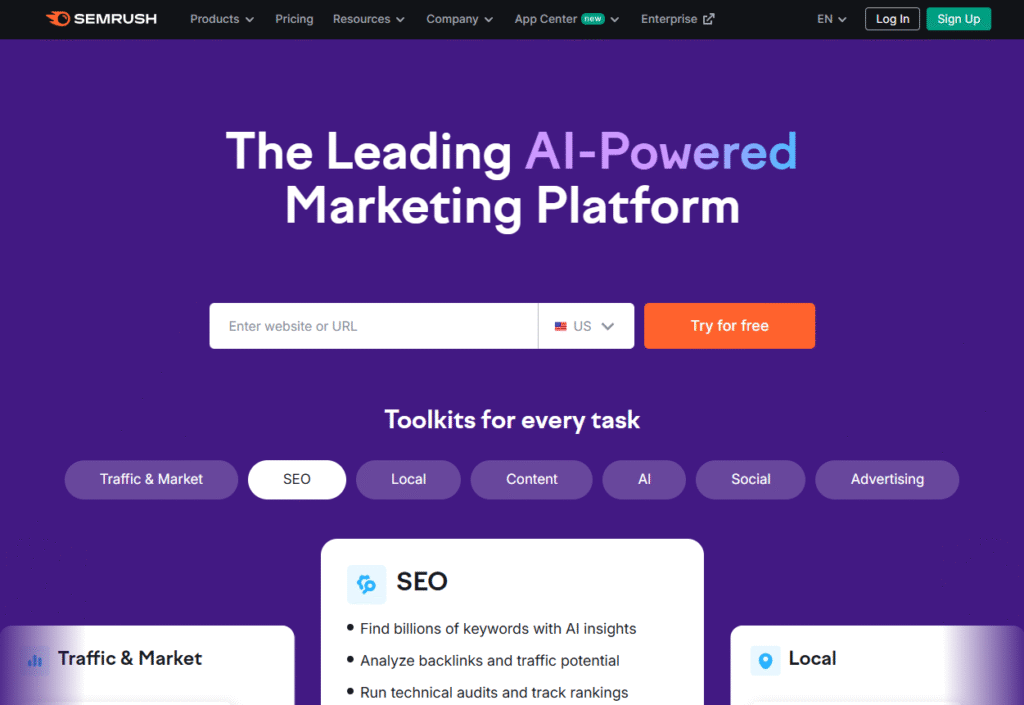
Semrush is a full-suite SEO platform widely used by agencies, ecommerce teams, and consultants who need reliable keyword metrics and competitor data. Its AI keyword research engine surfaces low-competition opportunities, search trends, and semantic clusters with accuracy that makes Semrush review pages consistently rank well across software directories. Semrush pricing is flexible for agencies, and many users compare Semrush vs Ahrefs when evaluating keyword tools.
Key Features
Keyword Magic Database
This feature offers granular filters to uncover phrase-match, broad-match, and related keywords. It’s one of the largest commercial databases available, and it helps agencies map out clusters quickly. When analysing a niche, Keyword Magic provides search volume, keyword difficulty, and SERP intent indicators in one place so teams don’t waste time jumping across separate tools.
AI Keyword Clustering
Semrush groups keywords into meaningful topic clusters based on SERP similarity. This gives SEO teams a straightforward path for building core topics, supporting pages, and internal linking structures. It helps identify missing pages that competitors already cover while showing which clusters are worth prioritising.
Competitor Gap Finder
This capability highlights keywords competitors rank for that you don’t. It’s particularly valuable for agencies managing multiple client sites. You can filter gaps by intent, volume, or position range, which speeds up the process of building SEO roadmaps tied to measurable growth indicators.
SERP Intent Analysis
Semrush uses AI to classify every keyword into intent categories: informational, commercial, transactional, or navigational. This helps content teams align pages with the correct search behaviour instead of producing pages that Google will never surface high in rankings.
Position Tracking
This module tracks daily rank changes across mobile and desktop. It shows volatility, cannibalisation, and whether a page is rising or slipping within a cluster. Clients appreciate the clear visual reporting, making it easier for account managers to communicate campaign performance.
Pros & Cons
| Pros | Cons |
| Wide keyword database | Higher entry pricing |
| Strong cluster features | Can feel heavy for beginners |
| Reliable competitor data | Some modules sold separately |
| Intent classification | PPC data varies by region |
Pricing
Semrush pricing starts at 129 per month, with higher tiers based on reporting limits and additional modules.
Best For Agencies Handling Multi-Site SEO Campaigns
Agencies rely on Semrush because it streamlines keyword research, competitive intelligence, reporting, and content planning from a single dashboard. It’s built for teams that need speed and accuracy across multiple client accounts.
- Agencies managing high-volume SEO content — because Semrush clusters reduce manual sorting
- Consultants offering audits — gap analysis tools provide immediate insights
- Ecommerce brands — product keyword categories are easy to map
- Publishers — strong intent filters guide page structure
- Local SEO firms — position tracking and local SERP data clarify where improvements are needed
Verdict: Semrush stands out for agencies that need dependable keyword data and strong clustering features to plan content calendars efficiently.
How to Use Semrush
Use the Keyword Gap Report to uncover keywords where competitors rank between positions 5 and 15. These represent achievable terms with less resistance, and they often convert better because they reflect mid-funnel search intent.
Best Alternative
Ahrefs is the closest alternative for teams wanting stronger backlink metrics paired with solid keyword insights.
2. Ahrefs: Deep Keyword & Competitor Intelligence
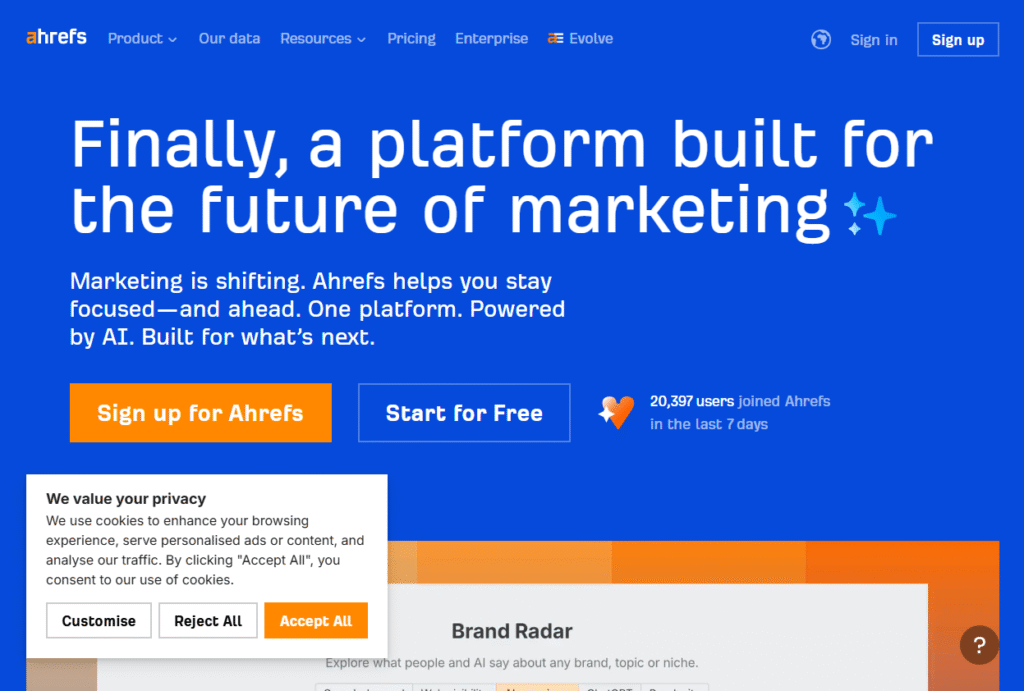
Ahrefs is a long-standing favourite among SEO teams that care about keyword accuracy and strong backlink correlations. Many buyers search for Ahrefs review comparisons because its data freshness makes Ahrefs vs Semrush one of the most debated matchups in keyword research. It’s widely used by agencies, affiliate publishers, and technical SEO professionals.
Key Features
Keywords Explorer
Ahrefs provides detailed metrics on search volume, clicks, parent topics, and SERP volatility. The clicks metric is especially important because it reveals whether a keyword actually sends traffic rather than relying on search volume alone.
Content Gap
This feature uncovers keywords competitors rank for that your site doesn’t. You can run multiple competitors at once, making it useful for mapping out missing clusters before producing content.
Keyword Difficulty Score
Ahrefs calculates difficulty based on backlink profiles, which tends to align closely with how Google ranks top pages. This gives analysts a realistic expectation of the resources required to rank.
SERP Overview
Ahrefs provides a breakdown of all top-ranking pages with backlinks, traffic estimates, and referring domains. It allows teams to decide quickly whether a keyword is worth chasing.
Questions Keyword Filter
This filter produces question-based terms that often convert well in informational content. It’s valuable for FAQ pages and supporting cluster articles.
Pros & Cons
| Pros | Cons |
| Accurate volume and click metrics | No traditional free trial |
| Strong backlink-driven KD scoring | Interface can overwhelm new users |
| Useful Content Gap tool | Higher cost for small teams |
| Excellent SERP breakdown | Limited PPC metrics |
Pricing
Ahrefs pricing starts at 99 per month, with limits based on user seats, projects, and report runs.
Best For Teams That Need Reliable Competitor Insights
Ahrefs is ideal for SEO analysts and technical teams that require accurate backlink data alongside keyword insights. Its metrics suit performance-driven campaigns where ranking difficulty must be assessed carefully.
- Agencies analysing tough niches — backlink insights matter
- Affiliate publishers — parent topic insights improve topical mapping
- SaaS teams — SERP click metrics improve forecasting
- Content teams — question filters shape article outlines
- Consultants — competitive mapping helps justify strategy
Verdict: Ahrefs fits teams that want precise keyword forecasting and competitive analysis that correlates with ranking potential.
How to Use Ahrefs
Sort Keywords Explorer results by Clicks Per Search (CPS) to prioritise terms that send tangible traffic, not just impressions.
Best Alternative
Semrush remains the closest alternative for users who prefer broader toolsets with strong PPC and intent classification.
3. WriterZen: AI Keyword Clusters & Topical Mapping
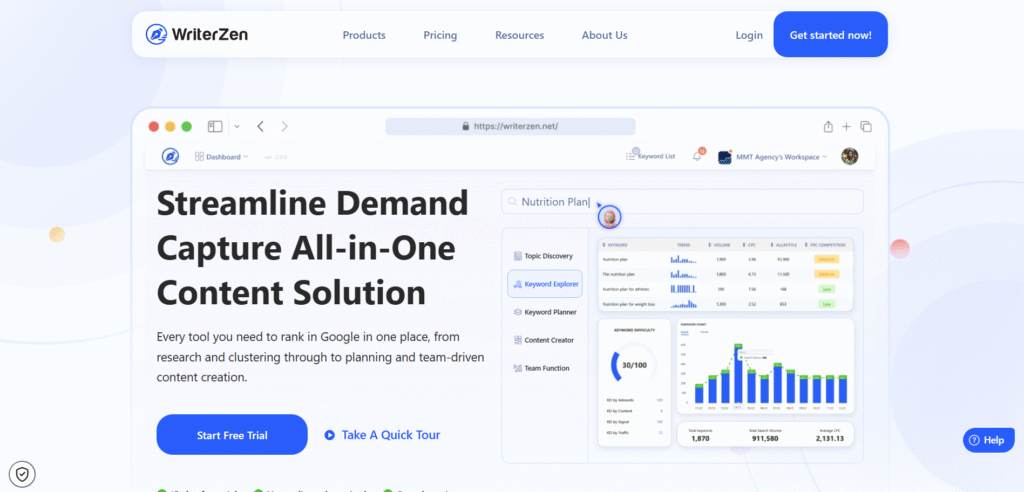
WriterZen is known for its AI-powered topic clustering and keyword mapping features, which help teams create content silos without manual sorting. Many marketers read WriterZen review articles while comparing WriterZen vs Surfer or WriterZen alternatives due to its simplicity and predictable pricing.
Key Features
Golden Score Filter
This metric identifies keywords with strong ranking potential by weighing search volume against competition levels. It’s useful for small teams targeting achievable long-tail terms.
Topic Discovery
WriterZen scrapes SERPs and groups keywords into topic categories. It’s easier than building clusters manually and helps teams structure multi-page content ecosystems.
AI Keyword Clustering
This feature automatically segments keywords into parent groups based on SERP similarity. Its accuracy is valued by agencies building high-volume content calendars.
Content Creator
WriterZen provides an interface for drafting outlines and structuring articles based on keyword clusters. Functional for teams that need fast pre-briefs.
Plagiarism Checker
A built-in plagiarism tool helps ensure content originality before publishing, especially useful for outsourced writing workflows.
Pros & Cons
| Pros | Cons |
| Strong topical clustering | Not a full SEO suite |
| Predictable pricing | Fewer competitor metrics |
| Beginner-friendly | Basic SERP filters |
| Useful Golden Score filter | Content editor is simpler than Surfer’s |
Pricing
WriterZen pricing starts at 23 per month, with credits allocated for keyword research and content features.
Best For Content Teams Building Topic Clusters
WriterZen is effective for brands and agencies that need to map topics quickly without heavy analysis. It reduces manual sorting and helps build structured content plans.
- Content managers — fast cluster generation
- Agencies — organise client content pipelines
- Bloggers — find achievable long-tail terms
- Affiliate sites — group keywords for silo structures
- Startups — easy entry point into keyword research
Verdict: WriterZen works well for users who want clear clusters and achievable ranking terms without complex dashboards.
How to Use WriterZen
Use the Golden Score combined with the “Include Terms” filter to find long-tails that competitors consistently overlook.
Best Alternative
Keyword Insights offers more advanced clustering for large datasets.
4. Surfer: AI Content & Keyword Mapping for SEO Writers
Surfer blends AI keyword insights with content scoring, making it a favourite among content teams. Many users compare Surfer vs Frase or Surfer alternatives because of its structured guidelines and SERP mapping. Its presence in content workflows makes Surfer review articles popular among editorial teams.
Key Features
Keyword Research Module
Surfer groups keywords into “Content Topics,” which makes planning clusters straightforward. It identifies terms tied to search intent and outputs recommended page types.
Content Editor
This feature provides a scoring system based on keyword density, structure, and semantic requirements. Writers use it to maintain consistency across large content libraries.
SERP Analyzer
Surfer breaks down structural elements such as headings, word count, and internal links used by top-ranking pages. It allows teams to model successful structures without wasting time.
AI Writing
The AI feature can produce drafts aligned with Surfer’s optimisation guidelines. While organisations vary in usage preference, it speeds up initial content creation.
Audit Tool
This tool scans existing pages to identify missing terms, weak internal links, or structural gaps that prevent higher rankings.
Pros & Cons
| Pros | Cons |
| Excellent content scoring | AI writer may feel generic |
| Strong structural analysis | Keyword database smaller than Semrush |
| Useful auditing module | Can encourage over-optimisation if misused |
| Clean interface | Credits can run out quickly |
Pricing
Surfer pricing starts at 69 per month, with higher tiers for teams producing high-volume content.
Best For Content Teams That Need SERP-Aligned Drafts
Surfer is excellent for editorial teams that rely on structured optimisation. Its scoring system helps keep writers aligned with keyword and cluster needs.
- Agencies — maintain consistency across writers
- Publishers — scale cluster content efficiently
- SaaS brands — improve content outlining
- Ecommerce — enhance long-tail product guides
- Consultants — fix underperforming articles quickly
Verdict: Surfer is ideal for teams where content optimisation and keyword placement are central to workflow.
How to Use Surfer
Run the Audit Tool on pages stuck between positions 8 and 20. Surfer will identify missing terms and internal link gaps that often lift these pages into stronger placements.
Best Alternative
Frase is a popular alternative for users who want deeper outline automation.
5. LowFruits: Long-Tail Mining with Easy Filtering
LowFruits is designed for finding weak SERP opportunities through long-tail keywords. Many SEO beginners and niche-site builders read LowFruits review articles when choosing between LowFruits vs KeywordTool or other long-tail tools. Its strength lies in spotting low-competition pages with weak domain authority.
Key Features
Weak SERP Detection
LowFruits marks SERPs where top results come from low-authority domains. This helps users find terms they can target without fighting large competitors.
Keyword Filtering
Filters allow users to target long-tails with question modifiers, local phrases, and buyer intent indicators. Helpful for strategy building, especially for niche websites.
Competitor Filtering
This feature identifies search terms where specific competitors appear weak, making it useful for targeted campaigns.
Keyword Extraction
LowFruits can scrape keywords from competitor pages, speeding up research when building content around a proven theme.
Cluster Builder
The grouping feature allows users to sort long-tails into organised categories quickly.
Pros & Cons
| Pros | Cons |
| Strong long-tail filters | Smaller dataset |
| Easy for beginners | Limited analytics |
| Great for weak SERP finds | Not suitable for large agencies |
| Affordable | Interface is minimalistic |
Pricing
LowFruits pricing begins at 29 per month, with credit bundles available for heavier users.
Best For Bloggers & Niche Site Owners Targeting Low-Competition Keywords
LowFruits is built for ranking in less saturated pockets of search without heavy backlink requirements.
- New bloggers — need easy wins
- Niche publishers — long-tail opportunities
- Smaller ecommerce brands — product-specific search terms
- Freelancers — simple research workflow
- Content teams — quick filtering for supporting pages
Verdict: LowFruits is practical for spotting hidden long-tail opportunities that often rank faster than broader terms.
How to Use LowFruits
Filter keywords by “Weak Results” and combine with question modifiers to find informational terms that larger sites rarely target.
Best Alternative
KeywordTool.io is a good alternative for broader long-tail mining.
6. Keyword Insights: AI Clustering & Search Intent at Scale
Keyword Insights is built for bulk keyword clustering and large-scale content planning. Many teams compare Keyword Insights vs WriterZen or read Keyword Insights review articles because it handles huge keyword datasets without breaking. Its AI-generated search intent labels and cluster maps make it popular among agencies running month-long content sprints.
Key Features
AI Keyword Clustering
Keyword Insights groups large keyword lists using SERP similarity. It’s one of the fastest and most accurate clustering engines, ideal for organising thousands of terms at once.
Search Intent Classifier
The platform categorises every keyword into informational, commercial, transactional, or navigational intent. It helps match queries with proper content types.
Content Brief Generator
The tool produces structured article outlines based on clusters. It reduces manual time spent drafting briefs for writers.
Rank Intelligence
This feature identifies keywords your pages already rank for that you may not be tracking. It’s useful for picking up hidden SERP performance.
Competitor Insights
The system can generate keyword gaps and cluster comparisons between your site and competitors.
Pros & Cons
| Pros | Cons |
| Excellent bulk clustering | No full-stack SEO suite |
| Fast processing | Higher pricing for large datasets |
| Strong intent mapping | Interface may feel complex |
| Clear briefs | No backlink analytics |
Pricing
Keyword Insights pricing starts at 58 per month, with higher tiers for large query volumes.
Best For Agencies Managing High-Volume Keyword Lists
Keyword Insights is perfect for teams handling thousands of keywords at once.
- Agencies — cluster full roadmaps
- Content teams — prepare brief templates
- SAAS brands — clean up content libraries
- Enterprise SEO — organise bulk datasets
- Publishers — find cluster-level opportunities
Verdict: Keyword Insights suits organisations that need fast, dependable clustering paired with intent mapping.
How to Use Keyword Insights
Upload competitor keyword exports and cluster them. This reveals the exact topical blueprint that drives their organic traffic.
Best Alternative
WriterZen suits smaller teams needing simpler clustering.
7. Frase: AI Content Research & Keyword Mapping
Frase is popular among content teams that want faster outlines, keyword integration, and SERP research in one place. Many marketers read Frase review articles and compare Frase vs Surfer because both tools shape content structure. Frase stands out for its research automation.
Key Features
SERP Research Extractor
Frase pulls headings, FAQs, and common topics directly from top-ranking pages. It helps writers understand what Google sees as relevant.
Content Brief Builder
You can build briefs with topic lists, key phrases, SERP insights, and content outlines. Helpful for agencies working with freelancers.
AI Writing Tools
Frase offers AI templates for intros, outlines, FAQs, and supporting paragraphs. It speeds up content creation when paired with proper editing.
Keyword Analysis
The keyword tool shows important semantic terms used in competing articles. Writers use it to structure pages that match search behaviour.
Answer Engine Data
This feature shows common questions from users and provides topic suggestions for FAQ sections.
Pros & Cons
| Pros | Cons |
| Great for writers | Can over-rely on AI drafts |
| Strong SERP insights | Keyword data limited vs Semrush |
| Fast brief building | Needs human editing |
| Simple interface | No competitor gaps |
Pricing
Frase pricing starts at 14 per month, making it one of the more accessible tools for teams.
Best For Content Writers Who Need Fast Research
Frase works well when creating outlines, briefs, and keyword-backed article structures.
- Agencies — brief writers fast
- SaaS teams — research feature pages
- Bloggers — quick keyword mapping
- Publishers — speed up topic production
- Consultants — structure content plans
Verdict: Frase is an excellent assistant for research-heavy writing tasks.
How to Use Frase
Use the People Also Ask extractor inside Frase to pull questions and map them as H2 and H3 sections. This often raises topical relevance.
Best Alternative
Surfer is a close alternative for teams that want stricter content scoring.
8. SE Ranking: AI Keyword Research With Broad SEO Functionality
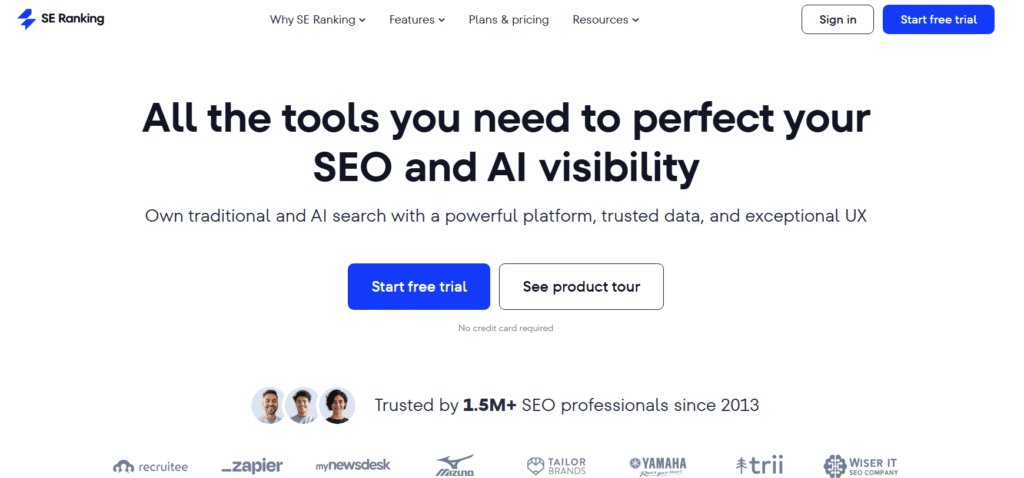
SE Ranking is an all-in-one SEO suite with strong keyword tracking and research features. SE Ranking review pages often highlight its dependable accuracy and easier pricing compared to larger platforms. Many compare SE Ranking vs Semrush due to its similar feature set at a lower cost.
Key Features
Keyword Suggestion Tool
SE Ranking produces keyword ideas based on seed inputs, showing search volume trends, difficulty scores, and intent categories.
Rank Tracking
Daily rank checks across mobile and desktop. Users can tag keywords into groups for local or national monitoring.
Competitor Research
This feature reveals keywords competitors buy for PPC and rank for organically. Useful for cross-channel planning.
SERP Analyzer
Breaks down page metrics, content length, and ranking factors. Helps map outperforming pages.
Keyword Grouping
Clusters related terms into categories to structure campaign-building workflows.
Pros & Cons
| Pros | Cons |
| Affordable all-in-one suite | Smaller database than Semrush |
| Accurate rank tracking | Interface may feel dense |
| Solid competitor research | Some tools have limits |
| Clean keyword grouping | Fewer enterprise features |
Pricing
SE Ranking pricing begins at 55 per month, depending on rank-checking frequency.
Best For Teams Wanting an Affordable All-In-One SEO Suite
SE Ranking works well for agencies or teams that need multiple SEO components bundled into one platform.
- Agencies — track many clients
- Small businesses — affordable keyword tool
- Freelancers — accessible pricing
- Publishers — quick keyword suggestions
- PPC teams — view competitor ads and queries
Verdict: SE Ranking is a reliable multi-tool for keyword research, rank tracking, and competitor analysis.
How to Use SE Ranking
Use rank tracking segments to isolate keyword clusters. Watching cluster movement reveals which pages require attention.
Best Alternative
Moz Pro fits users who prefer a more traditional SEO interface.
9. Moz Pro: Keyword Research With Clean Scoring & Tracking
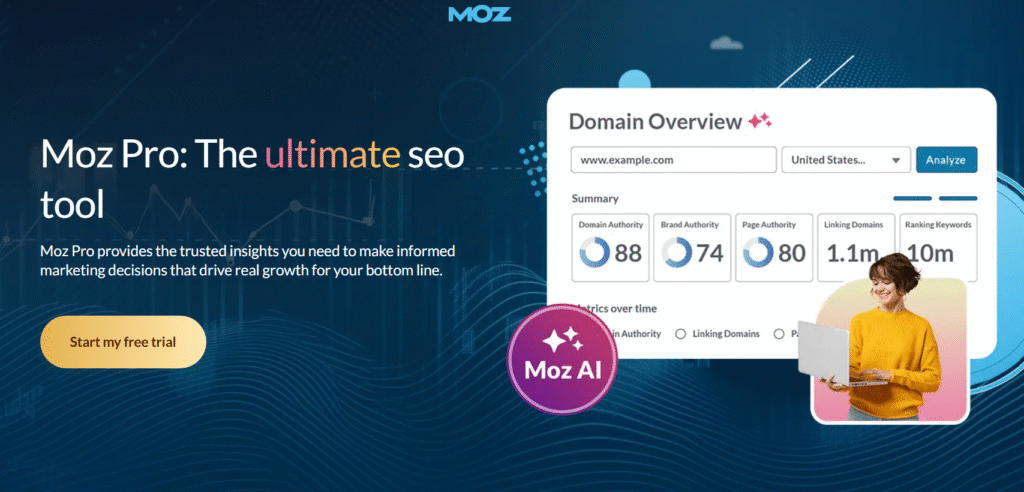
Moz Pro remains a trusted option for keyword analysis and rank monitoring. Moz Pro review articles often point to its Keyword Difficulty score and intuitive UI. Many compare Moz Pro vs Ahrefs when evaluating user-friendly interfaces.
Key Features
Keyword Explorer
Shows search volume ranges, SERP features, and keyword suggestions. Moz’s difficulty score is well respected and easy to interpret.
Rank Tracking
Daily or weekly tracking of keyword placements. It offers clear visibility into performance trends.
Link Intersect Tool
Shows which websites link to competitors but not to you. Helps with link-building targeting.
Page Optimisation
Gives on-page recommendations for strengthening keyword usage and structure.
SERP Feature Tracking
Identifies featured snippets, local packs, and image results associated with keywords.
Pros & Cons
| Pros | Cons |
| Easy interface | Volume ranges not exact |
| Trusted difficulty score | Smaller dataset |
| Good for beginners | Slower data refresh rates |
| Helpful SERP features | Limited advanced clustering |
Pricing
Moz Pro pricing starts at 99 per month.
Best For Beginners & Teams Wanting Simple Keyword Data
Moz suits users who prefer clarity over complexity.
- Small agencies — simple reporting
- Bloggers — intuitive explorer
- Local businesses — SERP feature insights
- Freelancers — easy learning curve
- Consultants — helpful difficulty scoring
Verdict: Moz Pro offers dependable keyword research in a clean, understandable interface.
How to Use Moz Pro
Use the SERP Feature Filter to target keywords with featured snippet potential. These terms often yield quicker growth.
Best Alternative
SE Ranking is a good match for users wanting more features at similar pricing.
10. Mangools: Simple and Friendly Keyword Research
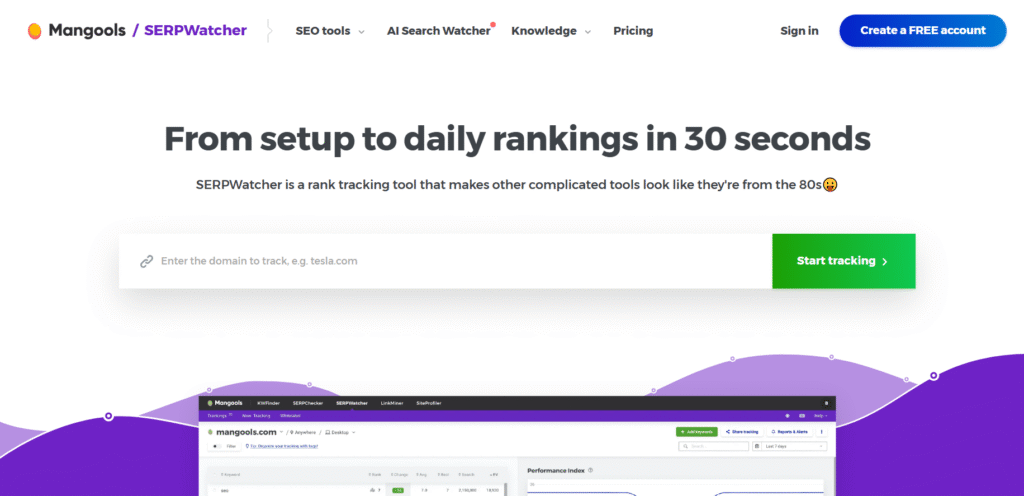
Mangools (KWFinder) is known for its easy interface and digestible keyword metrics. Many read Mangools review breakdowns comparing Mangools vs Ubersuggest due to its affordability and beginner-friendly design.
Key Features
KWFinder
A simple keyword research module showing search volume, keyword difficulty, and SERP previews. Great for new SEO practitioners.
SERPChecker
Provides ranking difficulty assessments and competitive breakdowns.
SERPWatcher
Tracks keyword positions and growth metrics.
LinkMiner
Shows backlink profiles with simple filters for link-building research.
SiteProfiler
Gives domain metrics and competitor overviews.
Pros & Cons
| Pros | Cons |
| Very beginner-friendly | Not ideal for advanced teams |
| Affordable | Limited clustering |
| Clean UI | Smaller database |
| Fast insights | Fewer technical metrics |
Pricing
Mangools pricing begins at 29 per month.
Best For Beginners & Small Teams Needing Simple Keyword Data
Mangools suits users who want easy keyword metrics without an overwhelming interface.
- New bloggers — quick insights
- Small ecommerce shops — easy long-tail checks
- Freelancers — budget-friendly
- Local businesses — simple keyword lookups
- Early-stage agencies — clean SERP previews
Verdict: Mangools is a practical entry-level keyword platform with reliable basic metrics.
How to Use Mangools
Use KWFinder’s “Autocomplete” suggestions to find long-tails that larger platforms don’t surface.
Best Alternative
Ubersuggest is the closest alternative for budget-focused users.
11. NeuronWriter: SERP-Backed Content & Keyword Planning
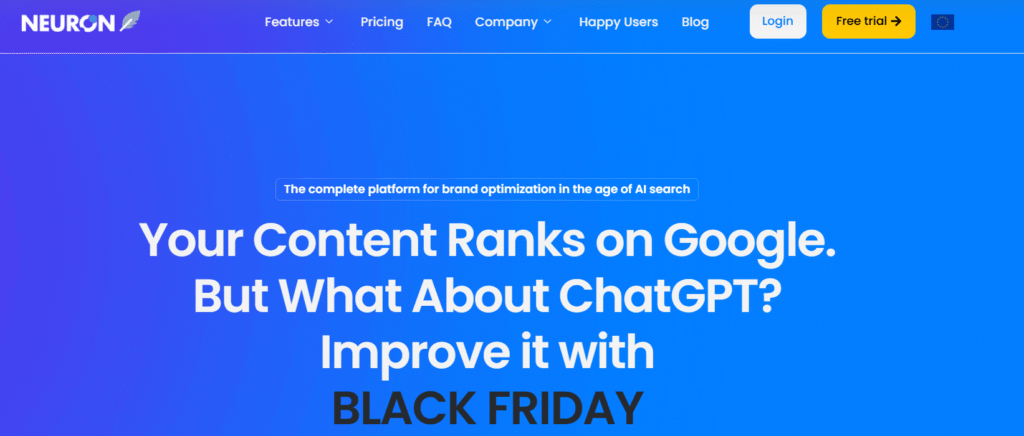
NeuronWriter continues to gain traction among content teams because of its clean optimisation process, AI drafting, and strong SERP-based keyword suggestions. Many marketers search for NeuronWriter review comparisons across tools like Surfer and Frase, especially because of its price-to-feature balance.
Key Features
SERP Semantic Analysis
NeuronWriter analyses top-ranking pages and extracts semantically relevant keywords. It highlights phrases that appear most often across competitors, helping shape stronger article structures.
AI Content Drafting
The editor produces draft content based on SERP research. Editors can refine tone, structure, and keyword usage directly inside the platform.
Content Scoring
Each page receives a score based on semantic relevance, structure, and keyword placement. Writers use this to maintain consistency across multiple articles.
Competitor Outlines
Pulls heading structures, FAQ sections, and common keyword themes from top pages. This helps with planning and ensures content aligns with search expectations.
Project Management
Teams can group keywords, assign articles, and track progress inside one dashboard.
Pros & Cons
| Pros | Cons |
| Often more affordable than Surfer | Smaller keyword dataset |
| Strong SERP-based suggestions | UI can feel dense |
| Easy team workflows | Fewer advanced analytics |
| Good scoring system | AI drafts require editing |
Pricing
NeuronWriter pricing starts at 19 per month.
Best For Writers Wanting Clear SERP-Aligned Guidance
NeuronWriter supports content teams that rely on structured optimisation and quick drafting.
- Bloggers — produce optimised drafts
- Agencies — streamline outlines
- Publishers — maintain score consistency
- SaaS teams — structure technical pages
- Freelancers — affordable alternative to Surfer
Verdict: NeuronWriter is a practical keyword-guided writing tool with strong SERP alignment.
How to Use NeuronWriter
Use the “Competitor Phrases Priority” filter to uncover terms your competitors repeatedly include. These often lift topical strength quickly.
Best Alternative
Surfer is the closest match for teams wanting stronger scoring and auditing.
12. KeywordTool.io: Broad Mining for Long-Tail Keywords
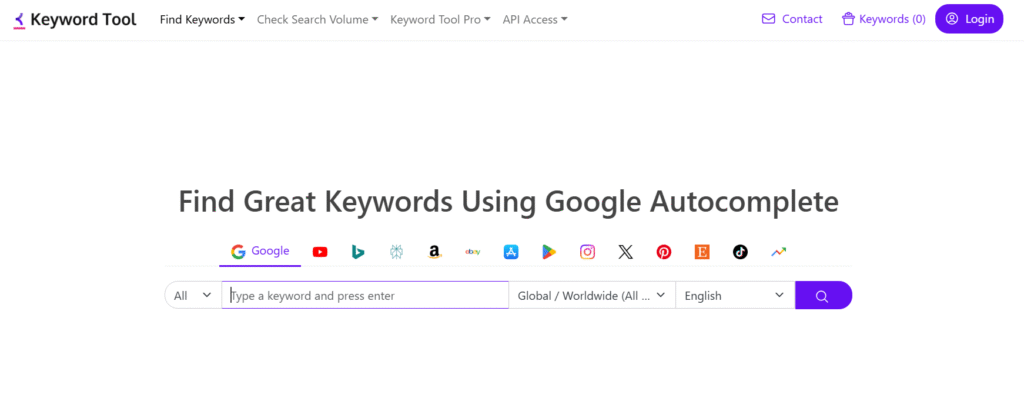
KeywordTool.io is widely used to mine long-tail suggestions from Google, YouTube, Bing, Amazon, and more. Many users refer to KeywordTool.io review pages when comparing KeywordTool.io vs LowFruits due to its broad autocomplete dataset.
Key Features
Autocomplete Keyword Mining
Pulls hundreds of long-tail variations from autocomplete engines across multiple platforms. Useful for ecommerce, YouTube SEO, and niche content.
Search Volume & CPC Module
Shows estimated volume, CPC, and competition metrics for PPC teams.
Platform Filters
Supports research on Google, YouTube, Amazon, Instagram, Bing, Play Store, and others.
Question & Preposition Filters
Helps uncover informational angle keywords ideal for FAQs and supporting articles.
Bulk Search
Allows users to upload multiple seed terms and extract long-tail variations at scale.
Pros & Cons
| Pros | Cons |
| Excellent long-tail mining | Higher cost for full suite |
| Multi-platform research | No competitor intelligence |
| Simple interface | Limited clustering |
| Fast output | Volume accuracy varies |
Pricing
KeywordTool.io pricing begins at 89 per month for full functionality.
Best For Brands Needing Multi-Platform Keyword Research
The tool suits teams creating content across search, ecommerce, and video platforms.
- Ecommerce sellers — Amazon long-tails
- YouTubers — title keyword ideas
- Bloggers — question-based terms
- PPC teams — volume estimates
- Agencies — multi-platform research
Verdict: KeywordTool.io is valuable when your keyword research spans beyond Google.
How to Use KeywordTool.io
Filter by platform-specific “Questions” to find intent-driven keyword angles for YouTube thumbnails or Amazon product pages.
Best Alternative
LowFruits is an alternative when you want deeper weak-SERP insights.
13. AnswerThePublic: Audience Query Research for Content & SEO
AnswerThePublic generates visual maps of what audiences ask online. Most AnswerThePublic review searches compare AnswerThePublic vs KeywordTool.io due to their shared role in question-focused keyword discovery.
Key Features
Question Wheel Visualisations
Shows clusters of who, what, where, when, and why questions related to a seed keyword. Useful for content planning.
Preposition & Comparison Filters
Generates supporting angles that can strengthen topical coverage across clusters.
Trending Query Insights
Tracks rising questions tied to your industry. It helps identify early-topic opportunities.
CSV Export
Exports all queries for sorting and planning within other tools.
Grouped Keyword View
Displays question patterns in organised segments for clarity.
Pros & Cons
| Pros | Cons |
| Excellent for FAQs | Limited volume accuracy |
| Simple UI | No SERP difficulty data |
| Fast insights | Question-only focus |
| Great for ideation | No clustering depth |
Pricing
AnswerThePublic pricing begins at 15 per month.
Best For Content Teams Creating Support Articles & FAQs
The tool is ideal for surfacing intent-rich questions that pair well with cluster content.
- Publishers — expand supporting articles
- Bloggers — build topical depth
- Agencies — plan FAQ sections
- SaaS brands — map user questions
- Local businesses — build location-oriented FAQs
Verdict: AnswerThePublic is a question-mining tool that adds depth to content clusters.
How to Use AnswerThePublic
Combine the “Comparisons” and “Prepositions” results to build highly specific content angles that competitors rarely address.
Best Alternative
Twinword is a suitable alternative for semantic filtering.
14. Twinword: Semantic Keyword Filtering for Niche Research
Twinword is known for its semantic analysis and user-friendly keyword filters. Many SEO practitioners look for Twinword review comparisons with other lightweight tools because it’s simple yet effective for filtering.
Key Features
Semantic Keyword Groups
The platform groups keywords into semantic categories to help teams find related terms quickly.
Intent Filters
Labels keywords as informational, commercial, transactional, or navigational.
Keyword Score
Twinword provides a score that highlights keyword potential based on search volume and competition.
Related Queries
Shows semantically linked phrases you may not find in larger tools.
Topic Tagging
Automatically tags keywords into categories to simplify sorting.
Pros & Cons
| Pros | Cons |
| Easy keyword grouping | Smaller keyword database |
| Affordable | Limited technical capabilities |
| Clean UI | Not built for agencies |
| Good semantic filters | No SERP feature insights |
Pricing
Twinword pricing starts at 12 per month.
Best For Beginners Wanting Simple Keyword Filters
Twinword helps small teams or solo marketers that need fast keyword sorting without advanced dashboards.
- Bloggers — find related topics
- Local businesses — simple filters
- Freelancers — quick keyword analysis
- Students — learn keyword fundamentals
- Content teams — organise topical sets
Verdict: Twinword offers simple semantic keyword sorting suitable for light SEO projects.
How to Use Twinword
Use the “Topic Tagging” output to build content categories before building full clusters.
Best Alternative
AnswerThePublic works better for question-based research.
15. LongTailPro: Low-Competition Keyword Discovery
LongTailPro specialises in identifying easier-to-rank long-tail keywords. LongTailPro review pages commonly compare LongTailPro vs LowFruits because both tools focus on finding achievable terms.
Key Features
Keyword Competitiveness Score
This metric shows ranking difficulty based on domain strength and SERP competitiveness. It helps teams find low-resistance opportunities.
Long-Tail Filters
You can apply filters for modifiers such as “best,” “near me,” or buyer-focused terms to discover intent-driven phrases.
Rank Tracking
Tracks keyword performance across selected markets.
Competitor SERP View
Shows domain authority, backlinks, and on-page signals of ranking pages.
Bulk Keyword Import
Allows users to upload large keyword sets for evaluation.
Pros & Cons
| Pros | Cons |
| Great for long-tail hunting | Limited content features |
| Clear difficulty metrics | Smaller dataset |
| Easy for beginners | Higher pricing for full suite |
| Good for niche sites | Interface is dated |
Pricing
LongTailPro pricing begins at 59 per month.
Best For Niche Sites Targeting Low-Competition Keywords
LongTailPro is ideal for strategies built around long-tail growth instead of competing with large publishers.
- Affiliate sites — easy keyword wins
- Bloggers — build clusters fast
- Small ecommerce shops — product-focused long-tails
- Freelancers — simple SEO workflow
- Local companies — location-tail terms
Verdict: LongTailPro is practical for those who prioritise long-tail, low-competition opportunities.
How to Use LongTailPro
Sort by “Keyword Competitiveness under 30” to identify keywords that typically require minimal backlinks.
Best Alternative
LowFruits is a match for teams needing more granular weak-SERP detection.
16. Google Keyword Planner: Essential PPC & Keyword Volume Baseline
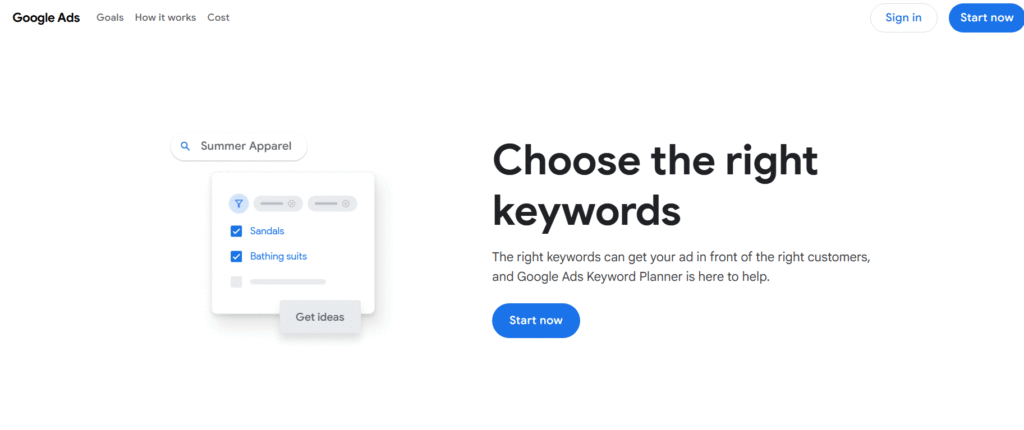
Google Keyword Planner (GKP) is the classic keyword tool used across PPC, SEO, and market research workflows. Many marketers read Google Keyword Planner review comparisons because GKP remains a trusted source for baseline search volume, despite limitations. Google Keyword Planner vs Semrush is a common comparison due to the difference between raw data and AI-enhanced insights.
Key Features
Accurate PPC Impression Estimates
GKP provides impression forecasts tied directly to Google Ads data. This helps teams validate whether a keyword has enough volume to target.
Keyword Forecasting
Forecasts expected clicks, impressions, and CPC range based on bid strategy. Useful for PPC planning and content forecasting.
Broad Keyword Suggestions
Shows related phrases, volume ranges, CPC, and competition indicators. Works well as a starting point for keyword ideation.
Location-Based Filters
Allows users to drill down by city, region, or country. Particularly valuable for local SEO and local PPC campaigns.
Historical Metrics
Provides past performance trends to identify seasonal patterns.
Pros & Cons
| Pros | Cons |
| Free to use | Volume ranges can be broad |
| Accurate PPC insights | Limited competitor metrics |
| Good local filters | No clustering |
| Strong baseline data | No SERP analysis |
Pricing
Google Keyword Planner is free, although some data is clearer with active Google Ads spend.
Best For PPC Teams & Users Needing Baseline Data
GKP is the foundation for many keyword workflows because it links directly to Google Ads.
- PPC teams — accurate CPC and forecast data
- Local agencies — location filters
- SaaS teams — validate search demand
- Startups — free keyword input
- Analysts — baseline volume estimates
Verdict: GKP is essential for validating whether a keyword has meaningful search volume.
How to Use Google Keyword Planner
Set “Location” to your exact city or service area. This reveals hyper-local terms that other tools often overlook.
Best Alternative
SE Ranking offers stronger organic keyword insights with similar clarity.
17. Ubersuggest: Budget-Friendly Keyword Research & SEO Tools
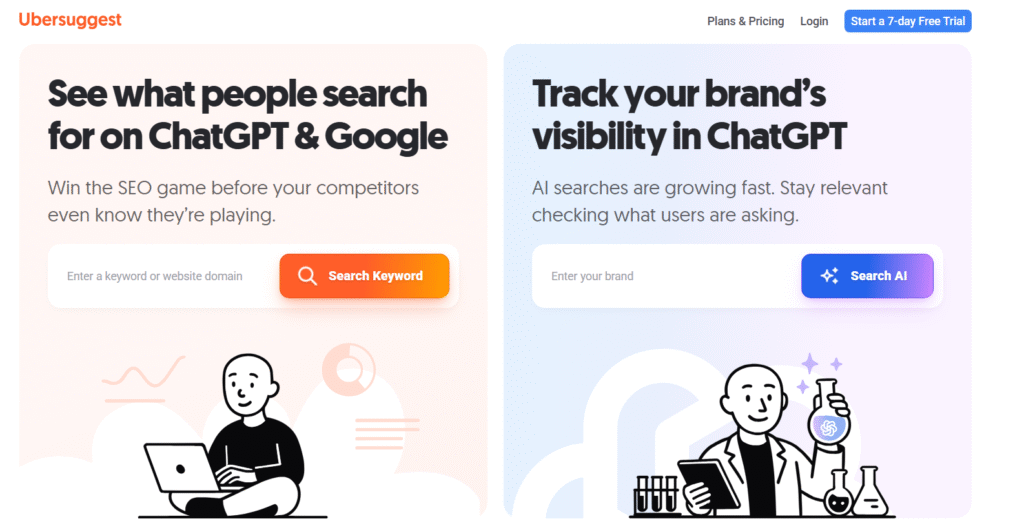
Ubersuggest is known for its accessible pricing and simple interface. Many users compare Ubersuggest vs Mangools or read Ubersuggest review summaries because it offers a broad toolset at a lower price than larger platforms.
Key Features
Keyword Suggestions
Shows search volume, seasonality, CPC, and keyword difficulty in a simple, readable layout.
Content Ideas
Provides page-level keyword suggestions based on competitor content that performs well on social and search.
Rank Tracking
Tracks keywords over time and shows ranking progress with simple reports.
Backlink Analyzer
Provides a snapshot of domain and page-level backlinks.
Chrome Extension
Gives on-page keyword metrics directly from the SERP.
Pros & Cons
| Pros | Cons |
| Affordable pricing | Volume accuracy varies |
| Beginner-friendly | Limited competitive depth |
| Wide feature set | Smaller dataset |
| Good Chrome extension | Slower data refreshes |
Pricing
Ubersuggest pricing begins at 29 per month.
Best For Beginners Wanting an Affordable All-In-One Tool
Ubersuggest works well for light SEO workflows and keyword ideation.
- Bloggers — affordable access
- Small businesses — keyword basics
- Freelancers — simple rank tracking
- Agencies — Chrome extension insights
- Ecommerce — product keyword suggestions
Verdict: Ubersuggest is an accessible entry-level tool for keyword and content planning.
How to Use Ubersuggest
Use the Content Ideas tab to identify topics that combine high search potential with social traction.
Best Alternative
Mangools is a similar-priced alternative with cleaner UI.
18. MarketMuse: AI-Driven Topic Research & Keyword Strategy
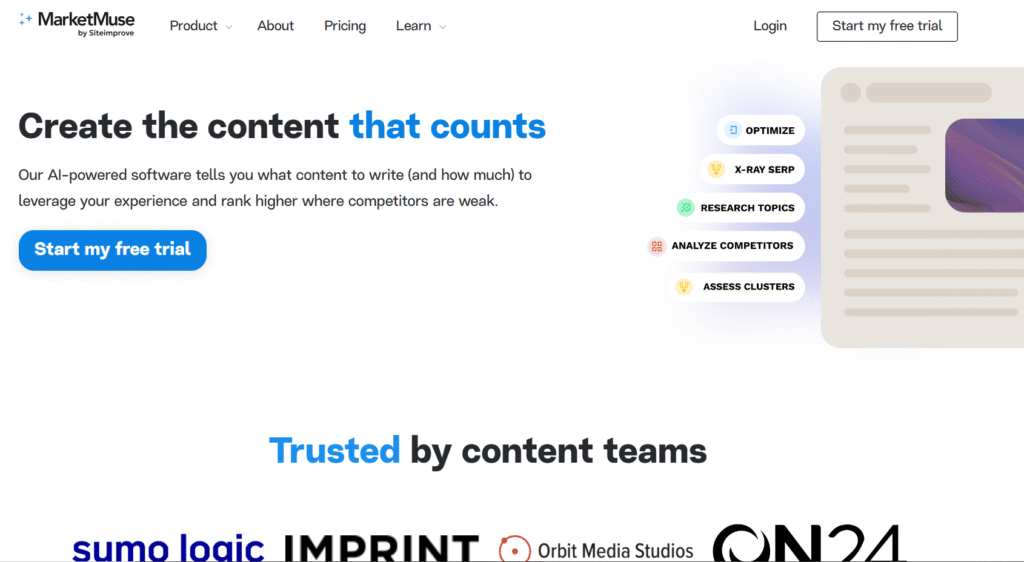
MarketMuse focuses on topic-depth planning, content scoring, and keyword modelling. Many readers compare MarketMuse vs Surfer or read MarketMuse review articles due to its advanced topic authority capabilities.
Key Features
Content Inventory
MarketMuse scans your entire site and shows content strengths, weaknesses, and gaps based on topic modelling.
AI Content Briefs
Generates deep briefs with internal link suggestions, target terms, questions, and structural recommendations.
Topic Modelling
Uses semantic analysis to show which keywords strengthen topical depth. Ideal for enterprise SEO.
Page-Level Scoring
Each page receives a score compared against top-ranking competitors.
Content Prioritisation
Ranks content opportunities based on difficulty, impact, and authority gaps.
Pros & Cons
| Pros | Cons |
| Strong topic modelling | High pricing |
| Enterprise-level briefs | Steep learning curve |
| Useful inventory auditing | Requires strategy alignment |
| Deep topic insights | Not beginner-friendly |
Pricing
MarketMuse pricing starts at 149 per month.
Best For Enterprise Teams Building Topical Authority
MarketMuse suits teams that create detailed content ecosystems requiring strong topic modelling.
- Enterprise SEO teams — topic depth analysis
- Publishers — optimise large content libraries
- Agencies — create deep briefs
- SaaS brands — model technical topics
- Consultants — audit full content clusters
Verdict: MarketMuse is powerful for teams building content authority at scale.
How to Use MarketMuse
Use the Inventory module before starting any big content sprint. It highlights pages you can update instead of writing from scratch.
Best Alternative
Surfer works well for smaller teams needing structured scoring at lower pricing.
19. SpyFu: Keyword & Competitor Research for PPC and SEO
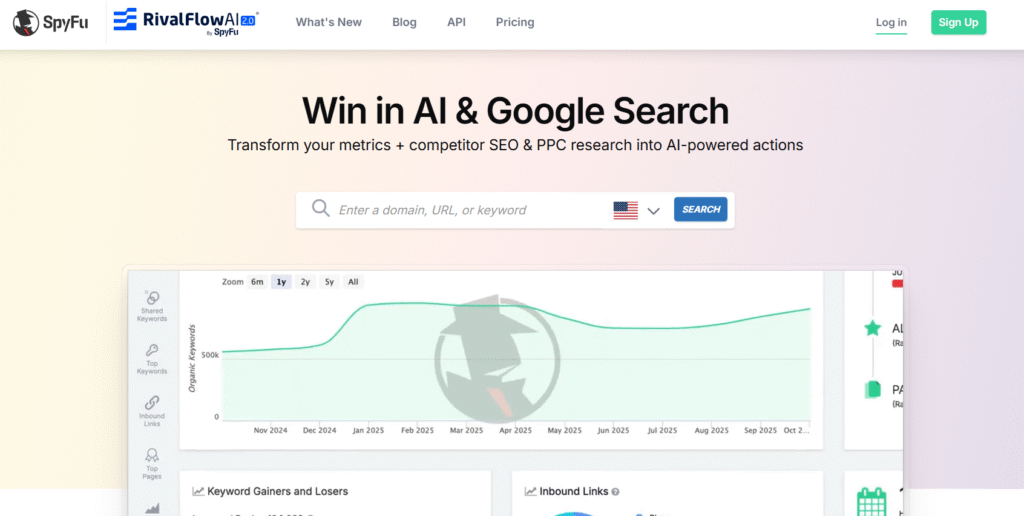
SpyFu focuses on competitor keyword research, especially for PPC. SpyFu review readers often compare SpyFu vs Semrush because of its strong paid search visibility.
Key Features
Competitor PPC Analysis
Shows competitor ad spend, top paid keywords, and ad history. PPC teams rely on it for campaign planning.
Organic Keyword Research
Displays competitor organic rankings, keyword overlap, and keyword gaps.
Kombat Tool
Finds keywords shared between competitors but not targeted by your site. Useful for SEO and PPC.
SERP Analysis
Provides domain-level insights and ranking patterns across long-tail queries.
Backlink Overview
Gives a simple backlink profile for competitor analysis.
Pros & Cons
| Pros | Cons |
| Excellent PPC research | UI feels dated |
| Useful Kombat tool | Smaller dataset |
| Affordable | Limited SERP detail vs Ahrefs |
| Strong competitor insights | Backlink data is light |
Pricing
SpyFu pricing begins at 39 per month.
Best For PPC Teams & Competitor-Focused SEO
SpyFu is great for teams that rely heavily on competitor keyword intelligence.
- PPC managers — find profitable paid keywords
- SEO teams — competitor gaps
- Agencies — multi-client PPC planning
- Consultants — clear competitive insights
- Ecommerce — uncover competitor product keywords
Verdict: SpyFu shines when competitor PPC intelligence matters.
How to Use SpyFu
Use the Kombat feature with three competitors for the cleanest keyword intersection results.
Best Alternative
SE Ranking provides broader SEO features with strong competitor insights.
20. Keysearch: Budget-Friendly Keyword Research for Small Teams
Keysearch is a simple keyword research tool favoured by bloggers and smaller SEO teams. Keysearch review readers often compare Keysearch vs LongTailPro due to similar long-tail capabilities at a lower price point.
Key Features
Keyword Difficulty Score
Provides a clear difficulty score based on top-ranking pages. Good for quickly evaluating long-tail opportunities.
Competitor Analysis
Shows competitors’ top keywords, domain metrics, and on-page elements.
Keyword Suggestions
Generates long-tail phrases and search volume estimates.
Rank Tracking
Tracks keyword movement across selected markets.
Content Assistant
Gives on-page suggestions for improving keyword targeting.
Pros & Cons
| Pros | Cons |
| Very affordable | Smaller dataset |
| Beginner-friendly | Limited technical insights |
| Good for long-tail keywords | Basic interface |
| Helpful difficulty score | No advanced clustering |
Pricing
Keysearch pricing begins at 17 per month.
Best For Beginners & Bloggers Needing Affordable Keyword Tools
Keysearch fits lightweight workflows that don’t require enterprise-level features.
- Bloggers — find long-tails fast
- Freelancers — simple research
- Small ecommerce shops — product long-tails
- Content teams — basic optimisation
- Early-stage agencies — low barrier to entry
Verdict: Keysearch is practical for simple keyword research at a manageable cost.
How to Use Keysearch
Use the “Deep Analysis” option to evaluate SERP strength more accurately before targeting a keyword.
Best Alternative
LongTailPro offers deeper long-tail filtering for teams with bigger budgets.
Wrap-Up
Finding the best AI keyword research tools becomes far easier once you understand how each platform handles clustering, intent, competitor insights, and long-tail discovery. We’ve worked with these tools across campaigns at Pearl Lemon, and the difference between guesswork and structured keyword planning is significant.
Whether you’re an agency, blogger, ecommerce brand, consultant, or SaaS team, the right tool shortens planning time and supports stronger topic coverage. Review the list, pick the tool that fits your current stage, and build your next keyword roadmap with confidence.
Need Help With AI SEO?
If you’re planning to scale content, improve topical depth, or fix underperforming landing pages, our team can review your keyword strategy and show you where opportunities already exist. We work with SEO teams, consultants, ecommerce brands, and publishers who need clear direction without long onboarding cycles.
Schedule a consultation to review your current keyword set, map out cluster gaps, and uncover search terms your competitors consistently overlook.
Book a call now.
FAQs
1. Which AI keyword research tool is best for long-tail terms?
Tools like LowFruits and LongTailPro excel at uncovering long-tail queries because they highlight weak SERPs and low-competition pages.
2. What’s the most accurate keyword difficulty score?
Ahrefs offers a backlink-based difficulty score, while Semrush uses a blended metric. Both are widely trusted for decision-making.
3. Do AI keyword tools replace manual research?
They reduce manual work significantly, but verifying intent, SERP patterns, and feasibility still requires human review.
4. Which tool offers the best clustering?
Keyword Insights provides advanced clustering for large datasets, while WriterZen offers cluster mapping for smaller teams.
5. How do I choose between Semrush and Ahrefs?
Choose Semrush for broader suite features and intent data. Choose Ahrefs for deeper backlink correlation and competitor insights.
6. Are free keyword tools enough for SEO?
Free tools like Google Keyword Planner provide baseline volume, but full campaigns require SERP analysis, clustering, and intent mapping.
7. Which tool is best for ecommerce SEO?
KeywordTool.io is useful for Amazon and product research. Semrush and Ahrefs help with broader category-level targeting.
8. What is the best tool for local SEO?
Google Keyword Planner offers location-based insight. SE Ranking provides strong local rank tracking paired with keyword data.
9. How often should keyword research be updated?
Most websites benefit from quarterly updates, or monthly if operating in fast-changing markets.
10. Do keyword research tools predict search intent accurately?
Tools like Semrush and Keyword Insights classify intent well, but confirming intent manually ensures stronger content alignment.